Smooth ERPSaaS products
Smooth ERP
A multi-company ERP in Arabic and English: point of sale, accounting, inventory, sales, purchases and projects, with access set per screen and action.
Context / scope
Overview and scope
Smooth ERP is an ERP sold to companies by subscription. Each company works on its own subdomain and turns on the modules it needs: point of sale, accounting, inventory, sales, purchases, projects, factories and equipment, plus settings for users, permissions and printing.
The front end is Next.js (App Router) with TypeScript, Tailwind CSS, Ant Design and next-intl, in Arabic (the default, right to left) and English. A separate Next.js admin manages the client companies themselves.
Shops need a point of sale that is fast at the counter and keeps working when the connection drops; accountants need full books and reports; owners need to see the business at a glance; and administrators need to decide exactly who can see or change what, across more than 300 screens.
Led front-end development on a team, and the largest contributor to the front end (about 2,900 of its 7,750 commits, April 2024 to January 2025). Built the platform admin for client companies almost entirely alone.
Results
- Per the CV: reduced the initial bundle and improved load times with dynamic imports and lazy loading, and delivered an offline-ready point of sale as a PWA.
- No usage or revenue figures were recorded, so none are claimed.
Interface / screens
Walkthrough
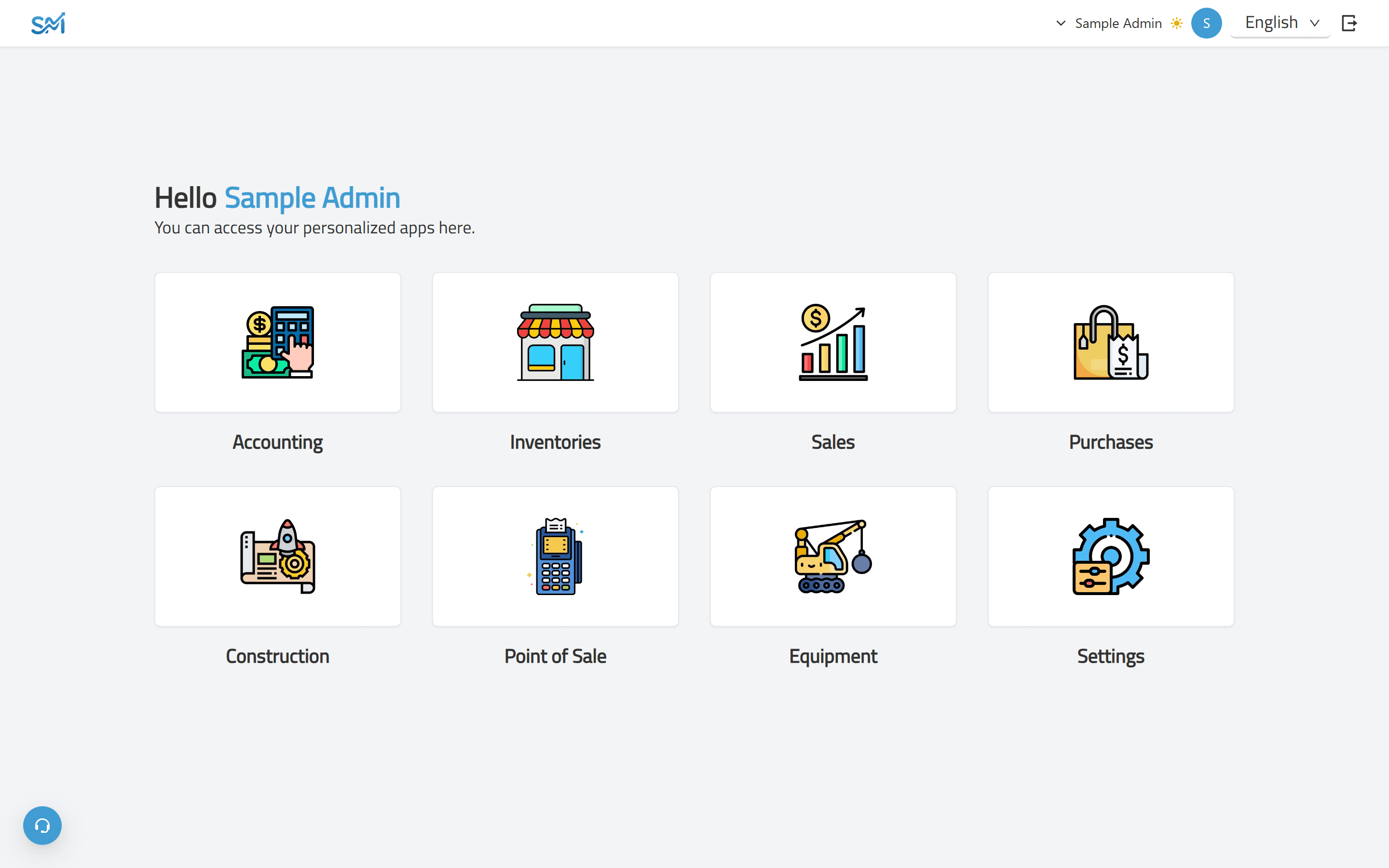
Screen 1 of 9: Home: the modules a company subscribes to. Real interface, sample data.
Behaviour / flows
Features and flows
A day in a shop: the cashier opens a session, sells by scanning or tapping products, prints receipts, records expenses and closes the session, and the owner follows sales, profit and stock on the shop dashboard. Behind it, bills post to the accounts, and the final accounts are always one click away.
Point of sale
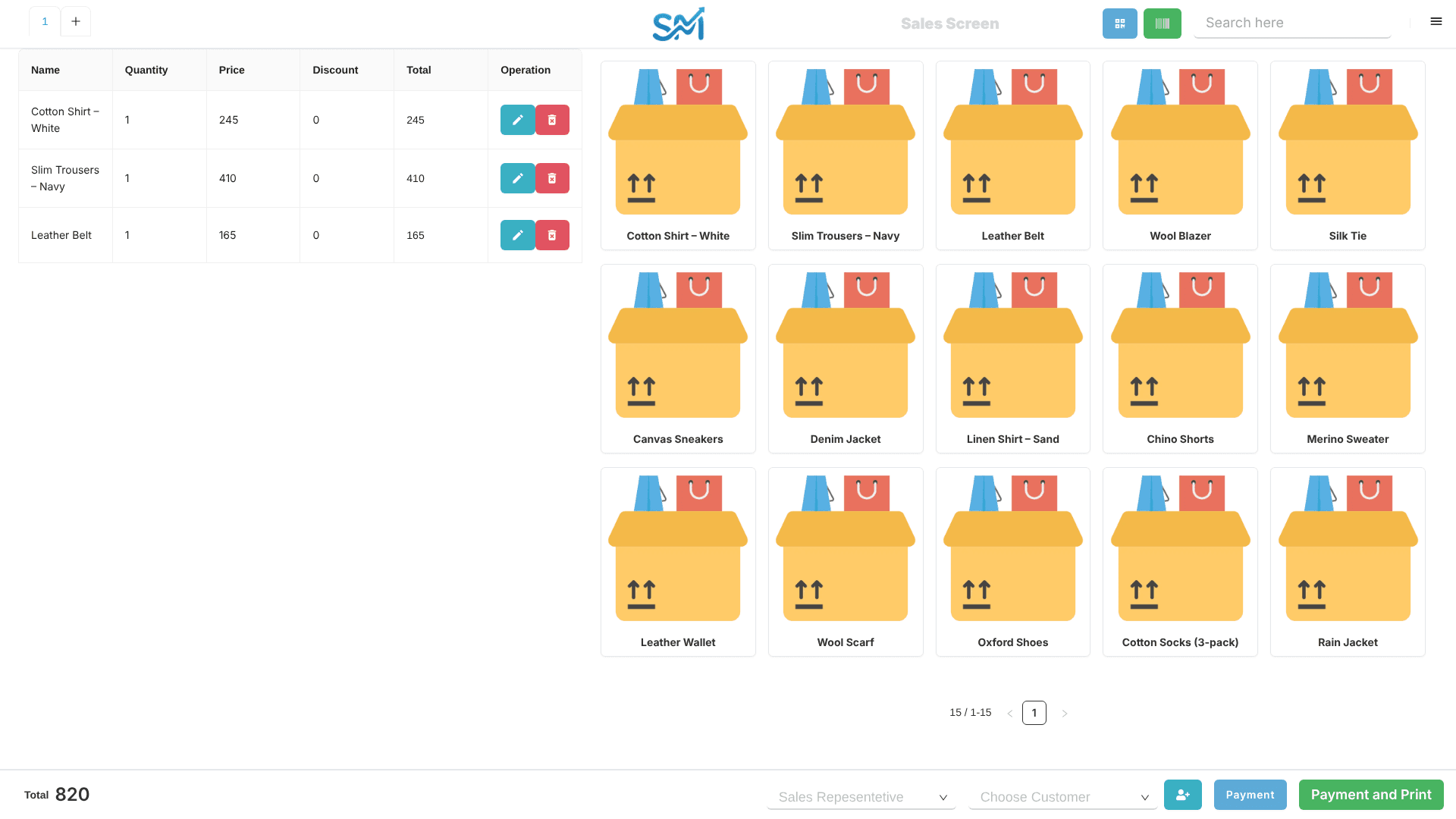
- Cashiers open and close sessions; each session has its own sale, purchase and return screens with a product grid by category.
- Barcode and QR scanning add items, and a sale ends with Payment and Print on a receipt that follows the company's print theme.
- The point of sale is installable and detects lost connectivity, so a shop keeps working when the network drops.
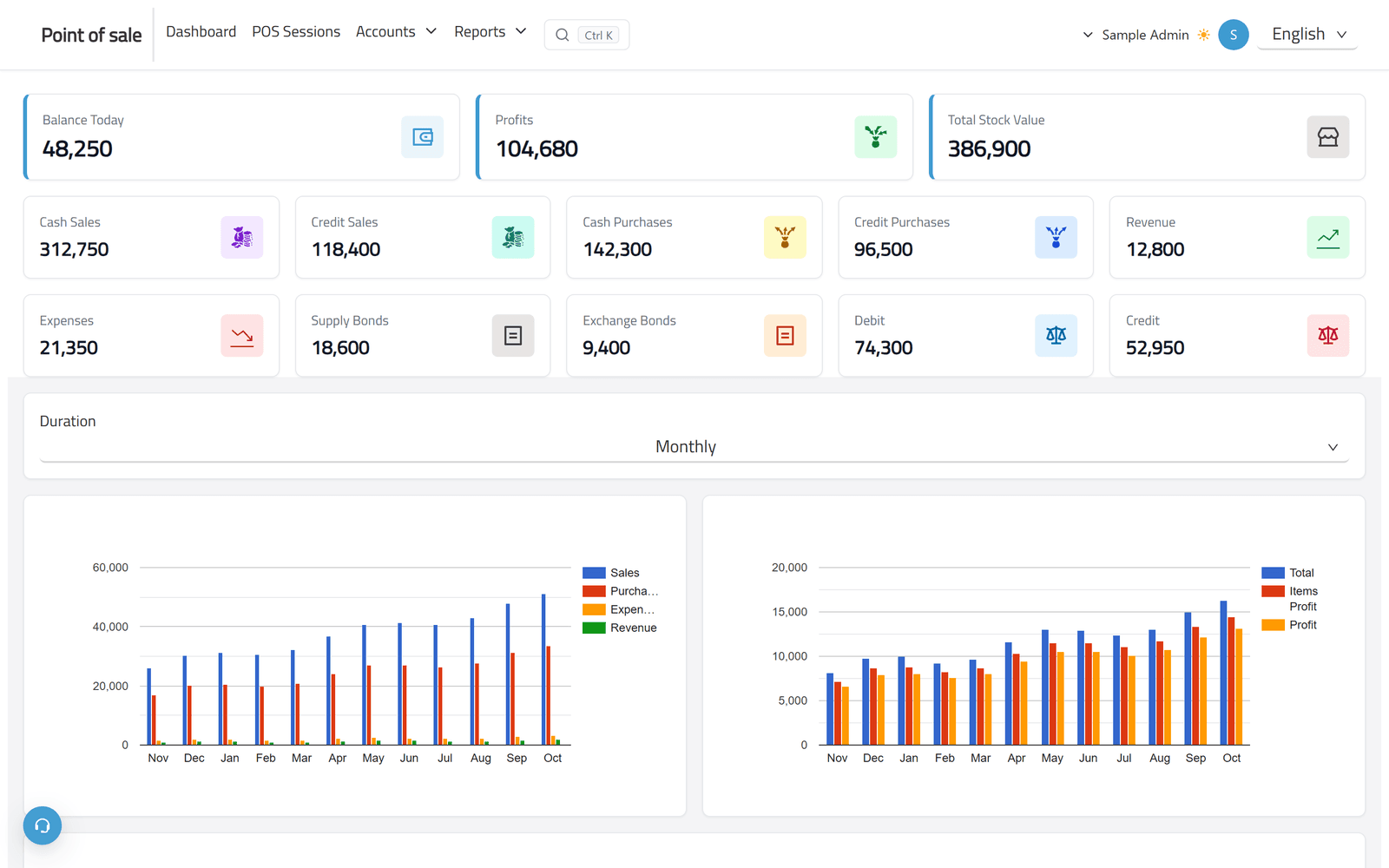
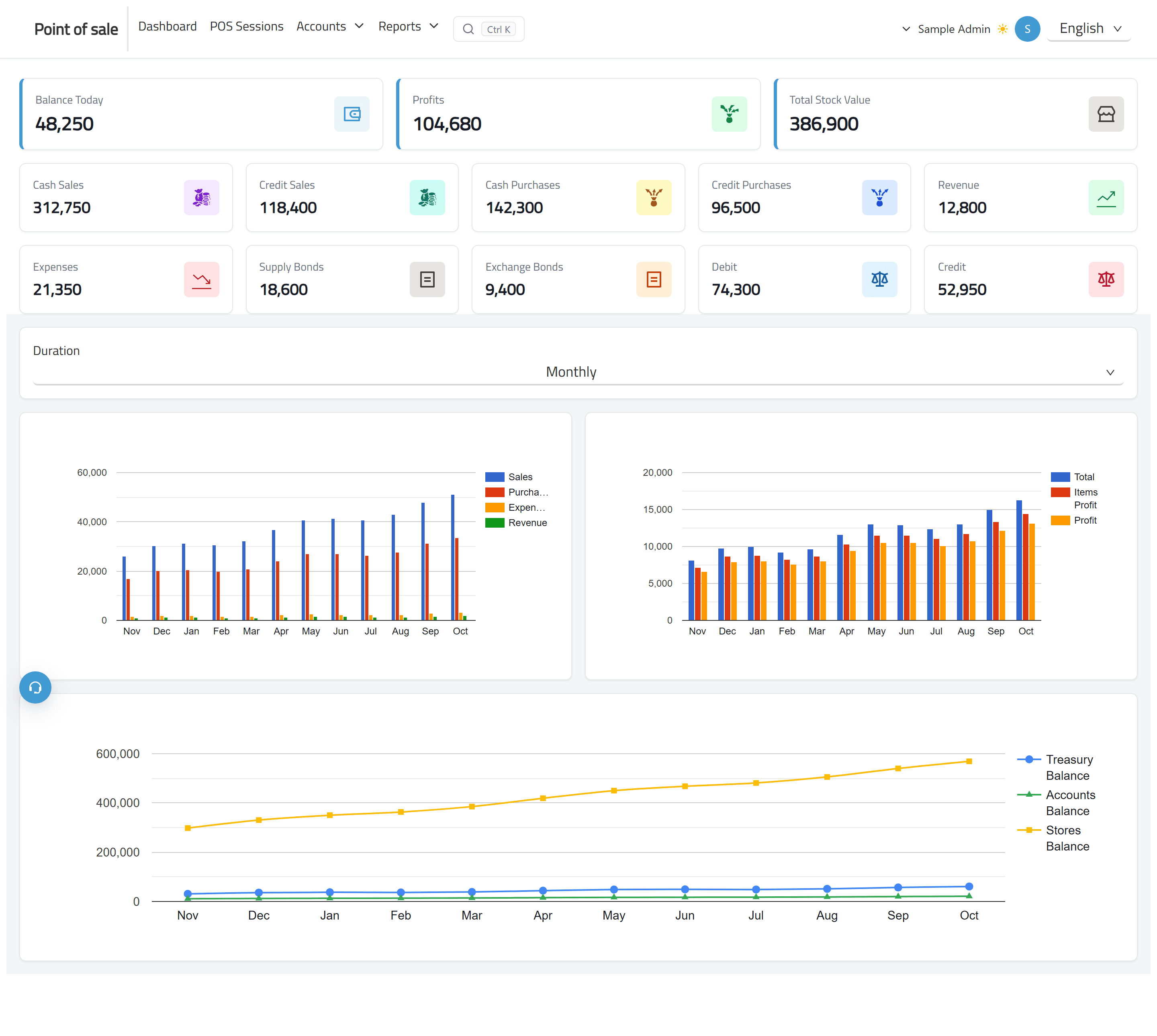
- Each shop has a dashboard: balance today, profit, stock value, cash and credit sales and purchases, vouchers and receivables, over monthly charts.
Accounting
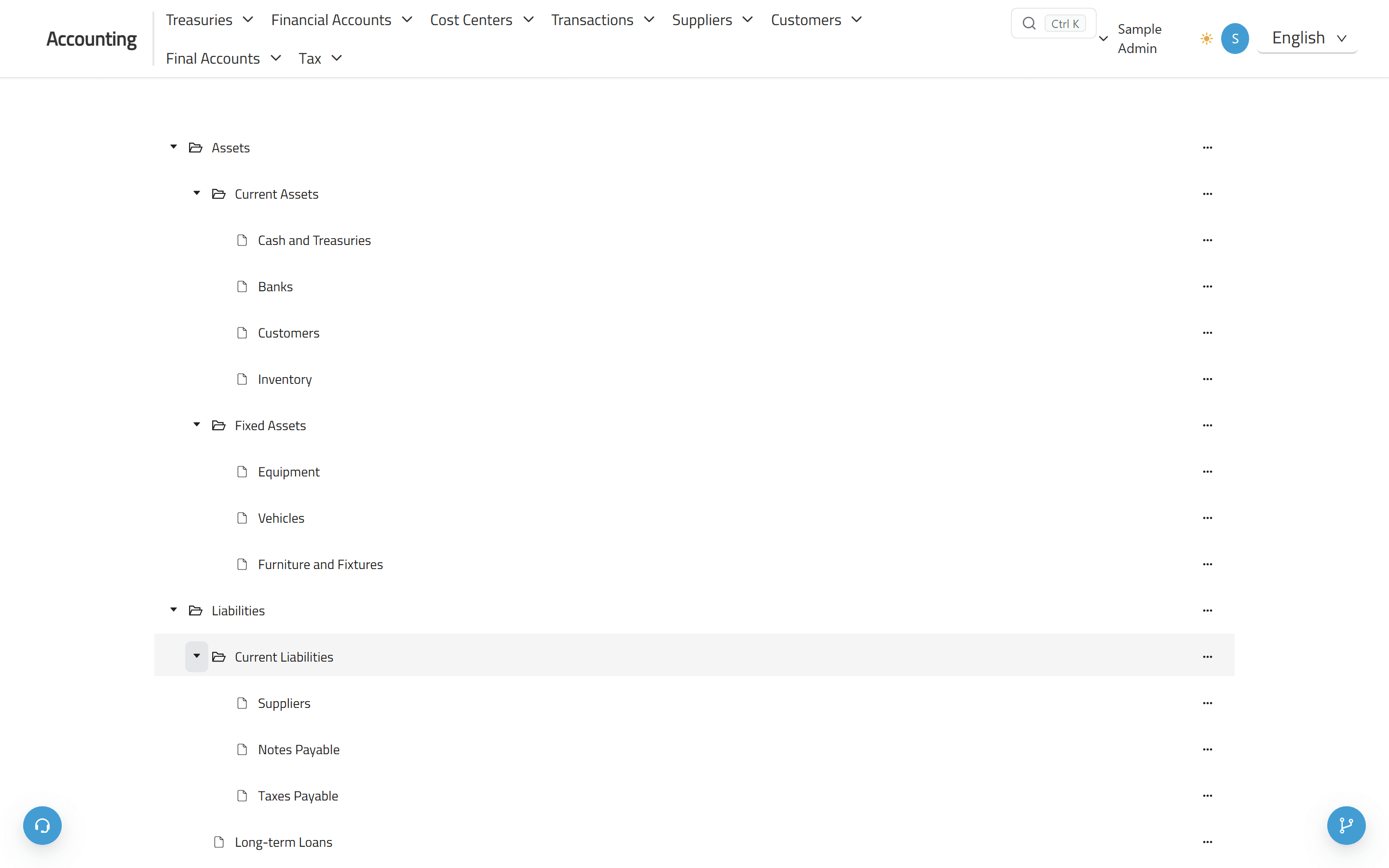
- A chart of accounts and cost centres as expandable trees, with main and sub accounts.
- Journal and opening entries, cheques, notes payable and receivable, treasuries, taxes, and detailed or total account statements.
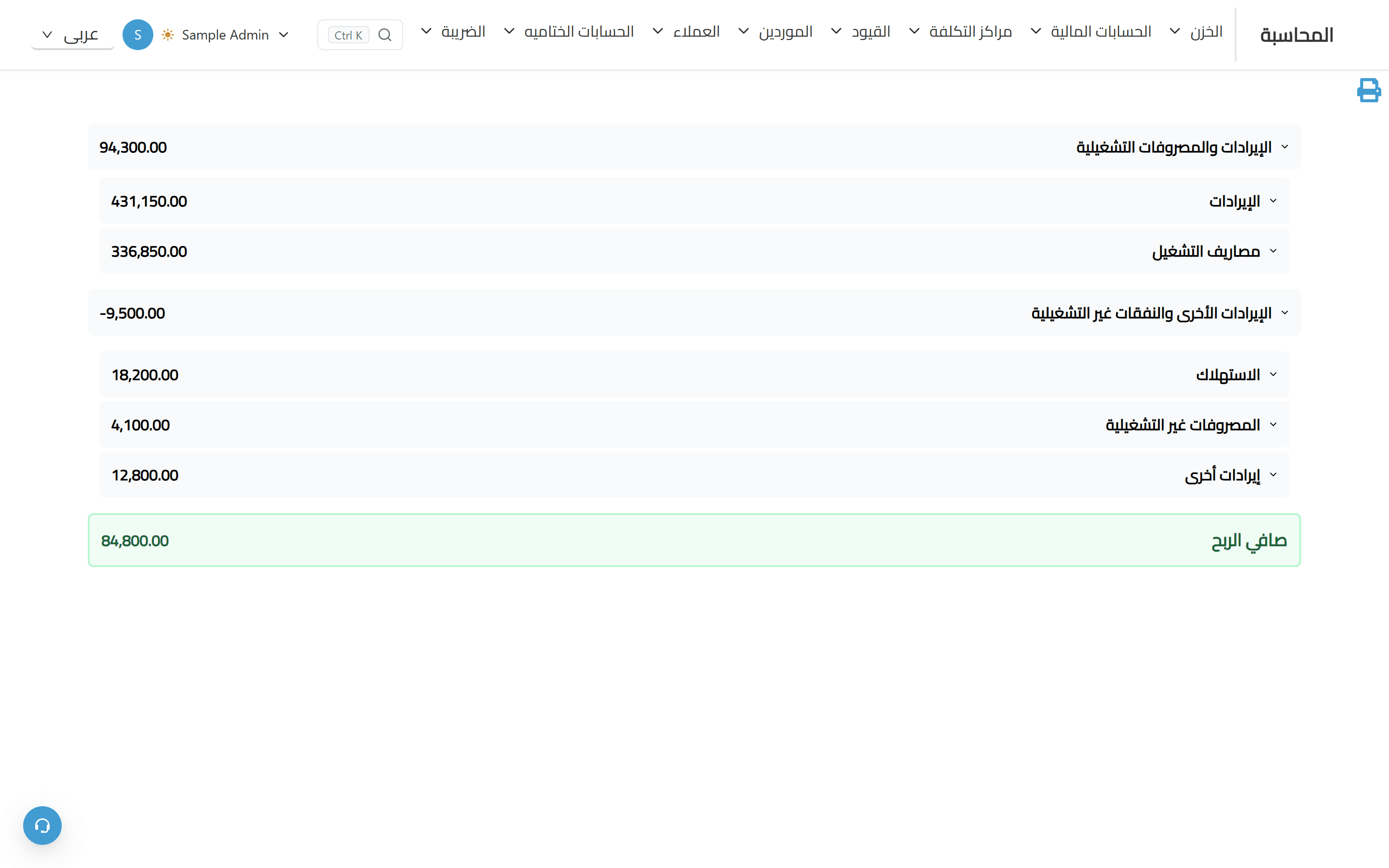
- Final accounts: profit and loss, balance sheet, cash flow and an executive summary, printable.
Inventory, sales and purchases
- Stores, items, units of measure, manufacturers, opening balances and printed barcode labels.
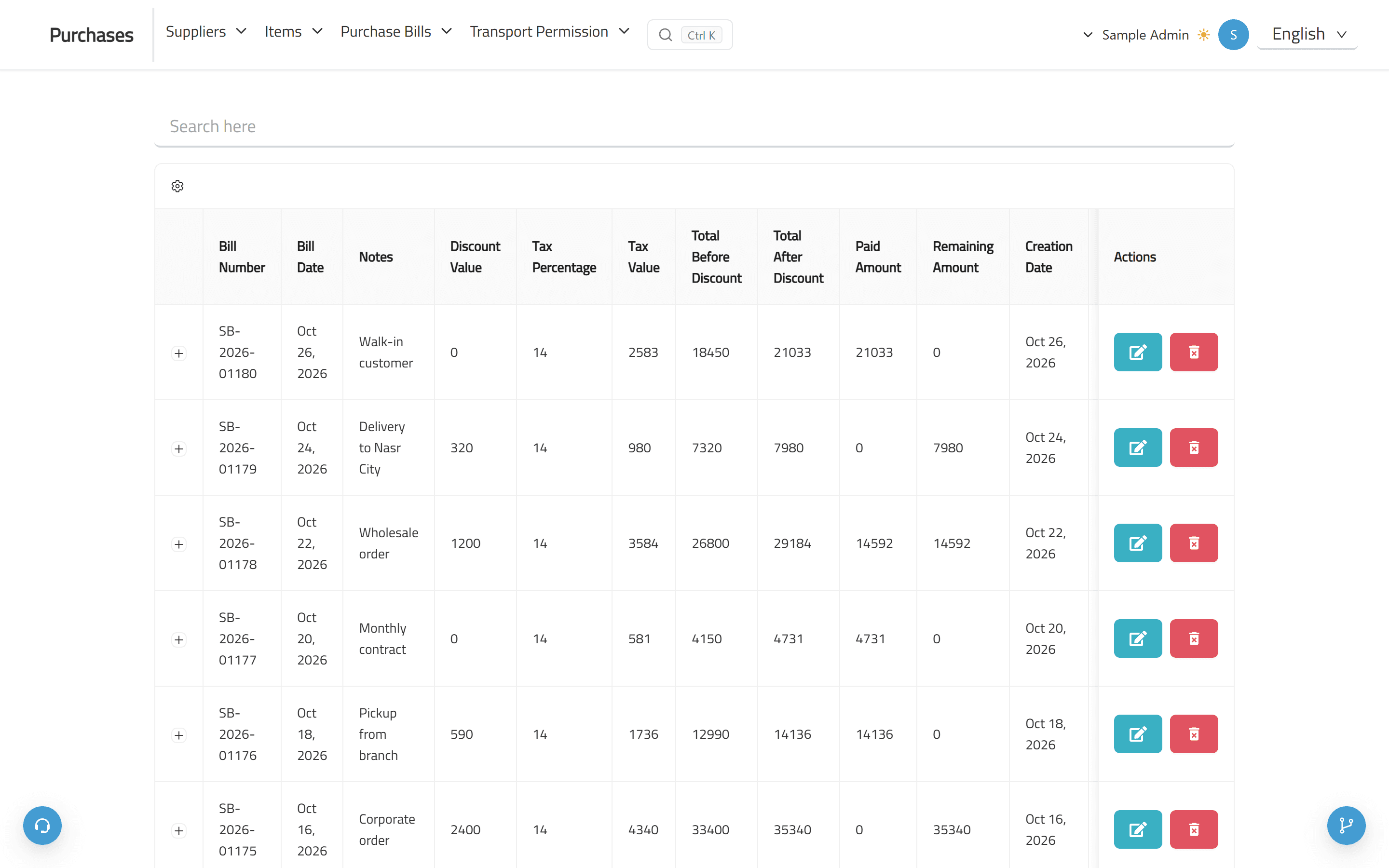
- Cash and credit sales and purchase bills with returns, discounts and tax, payments, and customer and supplier statements.
- Transfers between stores, materials requests, item movement, store balances and profit per item.
Projects, factories and equipment
- Projects split into partitions, with workers, daily pay, expenses, custody, financial summaries and profit distribution.
- Factory items with manufacturing permissions, and equipment with its daily use and expenses.
Companies, access and subscriptions
- Every company works on its own subdomain; users and groups get create, read, update and delete rights per table.
- Deleted bills, entries and users go to a recycle bin; data can be imported; plans are chosen and paid for in the app.
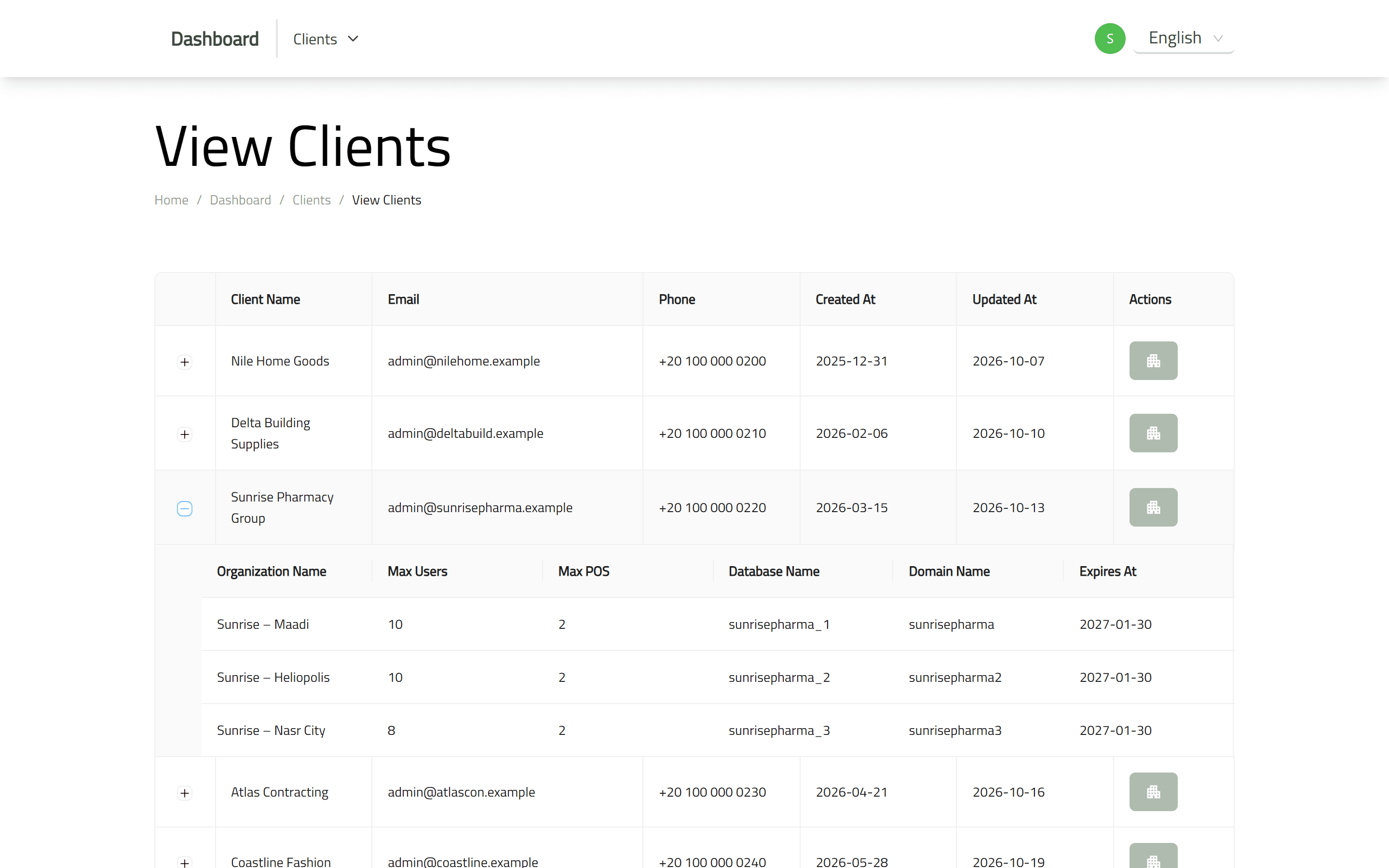
- A separate platform admin manages the client companies: their branches, user and point-of-sale limits, subdomains and expiry dates.
Finding your way in 300 screens
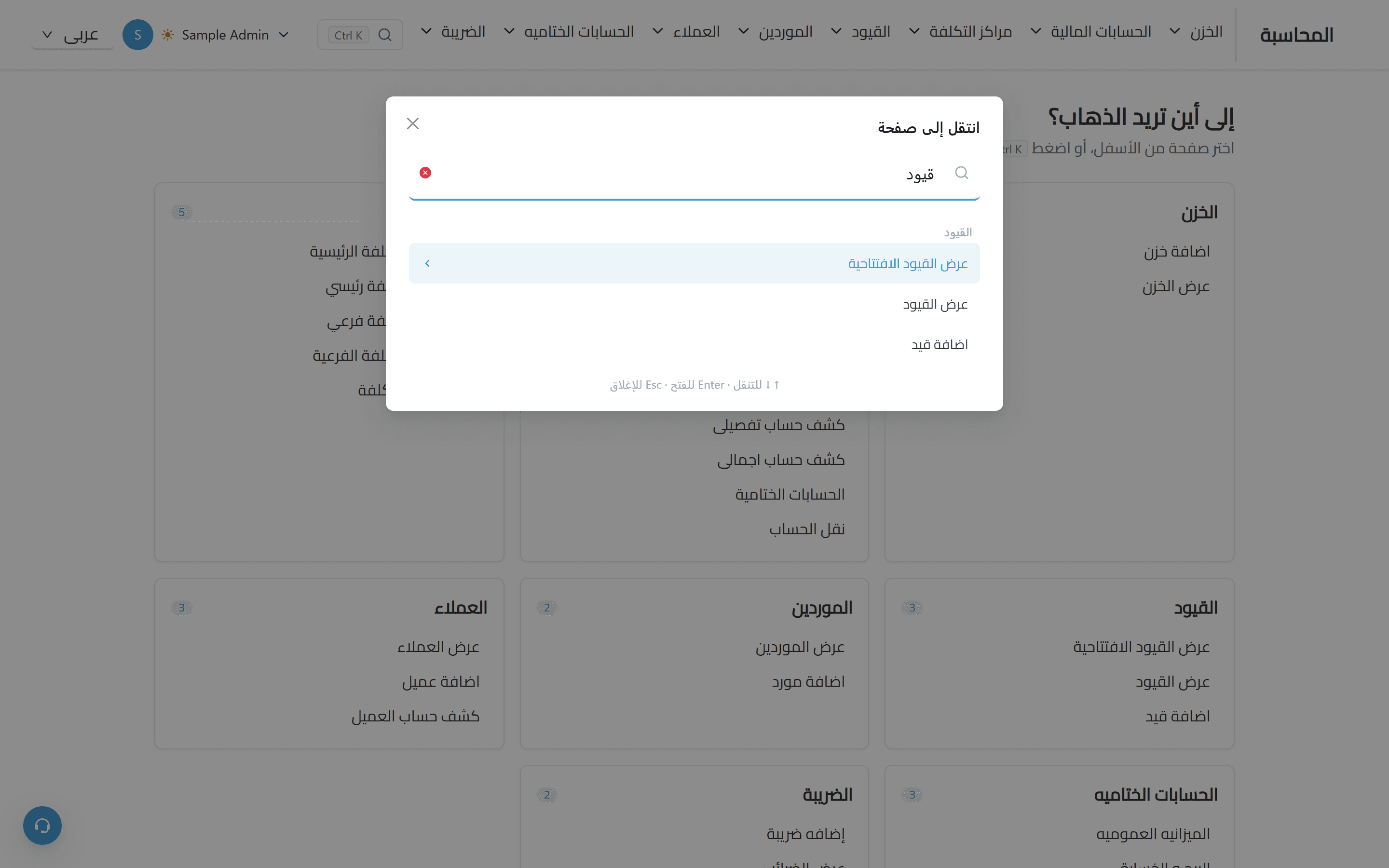
- Ctrl or Cmd + K opens a search over the pages the user may open, in Arabic or English, with recently visited pages first.
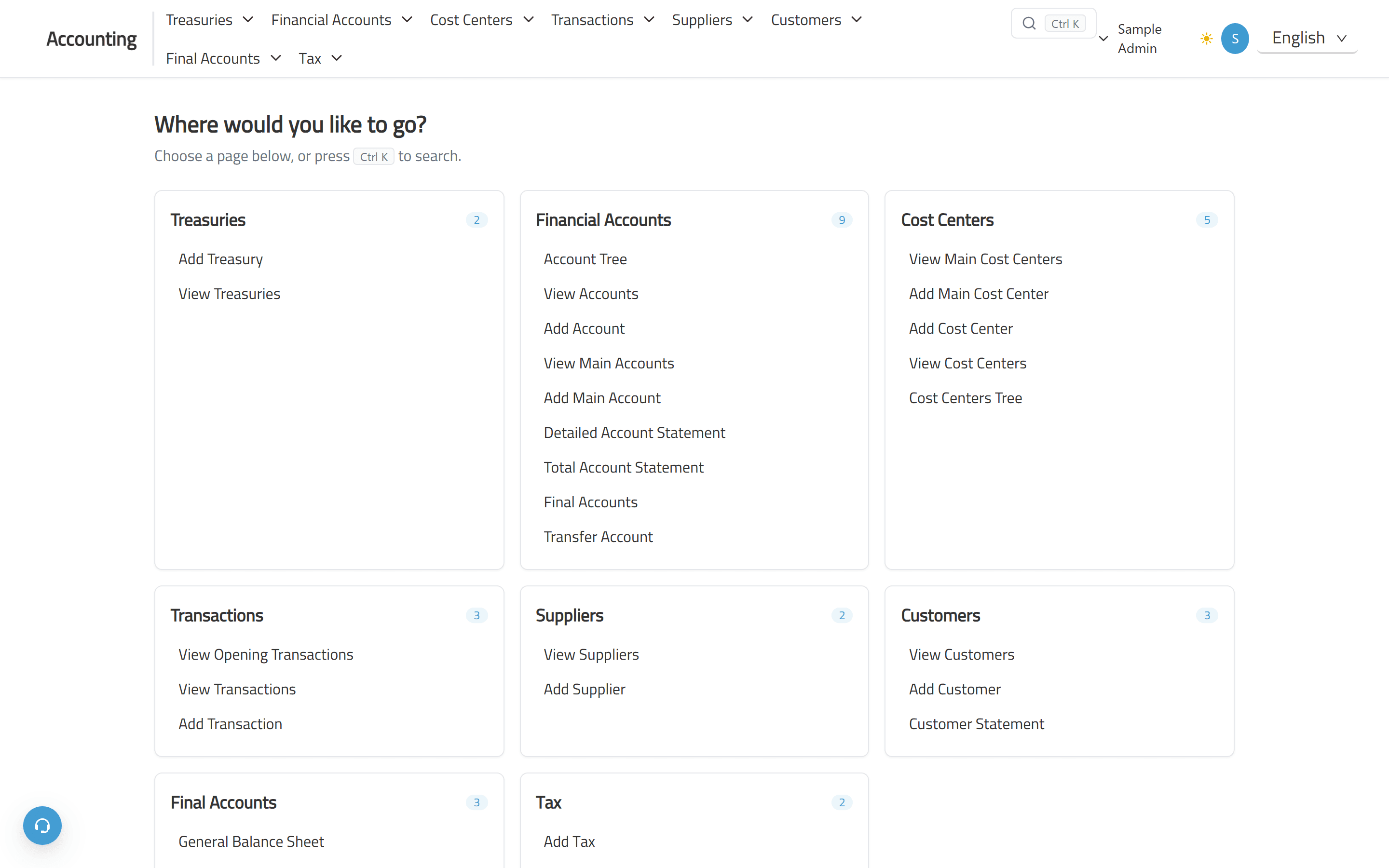
- Each module opens on a home page that lists its sections and pages, so nobody lands on an empty screen.
- The whole interface runs in Arabic, right to left, or English, and a user can switch at any time.
Engineering / decisions
Architecture and decisions
The ERP is one app with nine modules that share one shell, one permission model and one set of table, form and print components, so a new screen in any module behaves like the rest.
Tenancy and access at the edge
Middleware resolves the company from the subdomain and checks it before anything renders, sends anyone without a session to the login page, and each route is mapped to a table and an action, so a page cannot be opened without that permission.
Menus built from permissions
Each module's navbar is built from permission-checked items. The page search and the module home pages reuse exactly those items, so they never show a page the user cannot open and add no extra requests.
Server data, client interaction
Screens are split into server containers that load data and permissions and client containers that handle input, with shared table, form and print building blocks reused across the modules.
Invoice rows keyed by item and unit
Invoice row keys combine the item ID and unit-price ID. Adding the same item and unit again raises the quantity on the existing row, while a different unit of the same item gets its own row.
Arabic first
Routes are localised with next-intl and Arabic is the default locale, so layouts, tables, trees and reports are built to work right to left first, not mirrored afterwards.
Heavy parts on demand
Charts, scanners and print views load only when used, through dynamic imports, which keeps the first load of a module light.
Stack / tools
Technologies
- Next.js
- React
- TypeScript
- Tailwind CSS
- Ant Design
- next-intl
- Recoil
- React Hook Form
- Joi
- next-pwa
- Google Charts
- Playwright
Part of Smooth ERP
Smooth ERP brings point of sale, inventory and accounting into an organisation-based ERP interface.
Its marketing pages introduce the system and let visitors choose modules for subscription registration. I led the ERP front-end development and implemented the marketing front ends.