Dashboards
Aligna
A case-management platform for a clear-aligner lab: doctors submit and follow cases, and the design, production and support teams work them through to delivery.
Context / scope
Overview and scope
Aligna runs a clear-aligner lab's work with its clinics. Doctors submit patient cases with photos, scans and radiographs; designers prepare the treatment plan; technicians make and ship the aligners; customer service and administrators look after doctors, packages, payments and meetings. The front end is Next.js 15.5 (App Router), React 19, TypeScript and Tailwind CSS 4, talking to the lab's API, with real-time updates over Socket.IO.
A case passes through five roles and dozens of files, and each role needs a different slice of it. Doctors need a quick, guided way to send a complete prescription and to know at a glance what is waiting on them; the lab's teams need their own queues, the case history and a direct line to the doctor; administrators need to onboard clinics and see how the service is running.
Front-end developer and sole author of the Aligna front end, from the first commit: the case wizard and workspace, chat and notifications, the role dashboards and analytics, the administration screens and the responsive shell.
Results
- Delivered the full case lifecycle for five roles, from doctor registration to delivery, refinements and replacements.
- One responsive app: doctors can follow a case, approve a plan or answer a message from a phone as well as a desktop.
- No clinical or business metrics were recorded, so none are claimed.
Interface / screens
Walkthrough
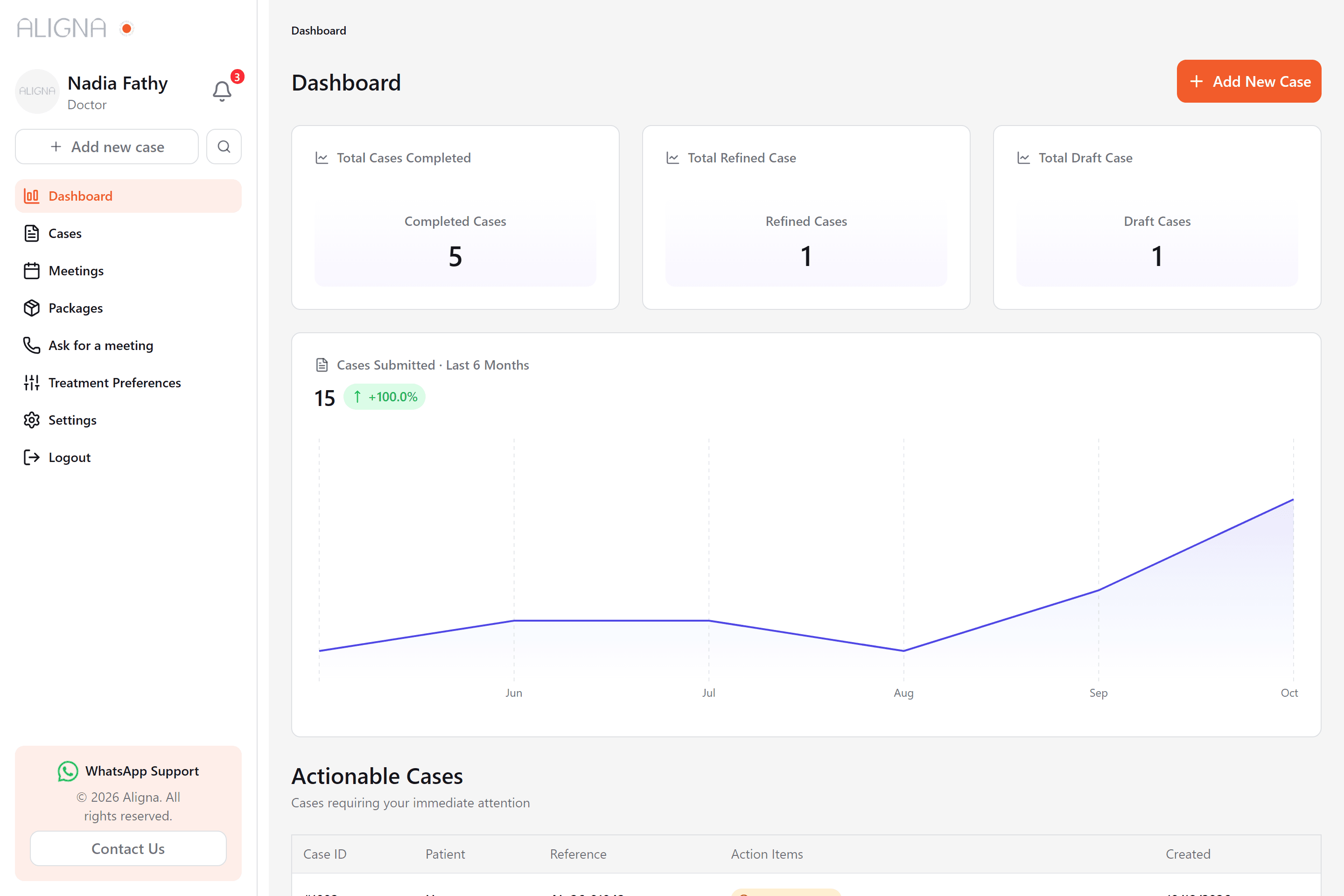
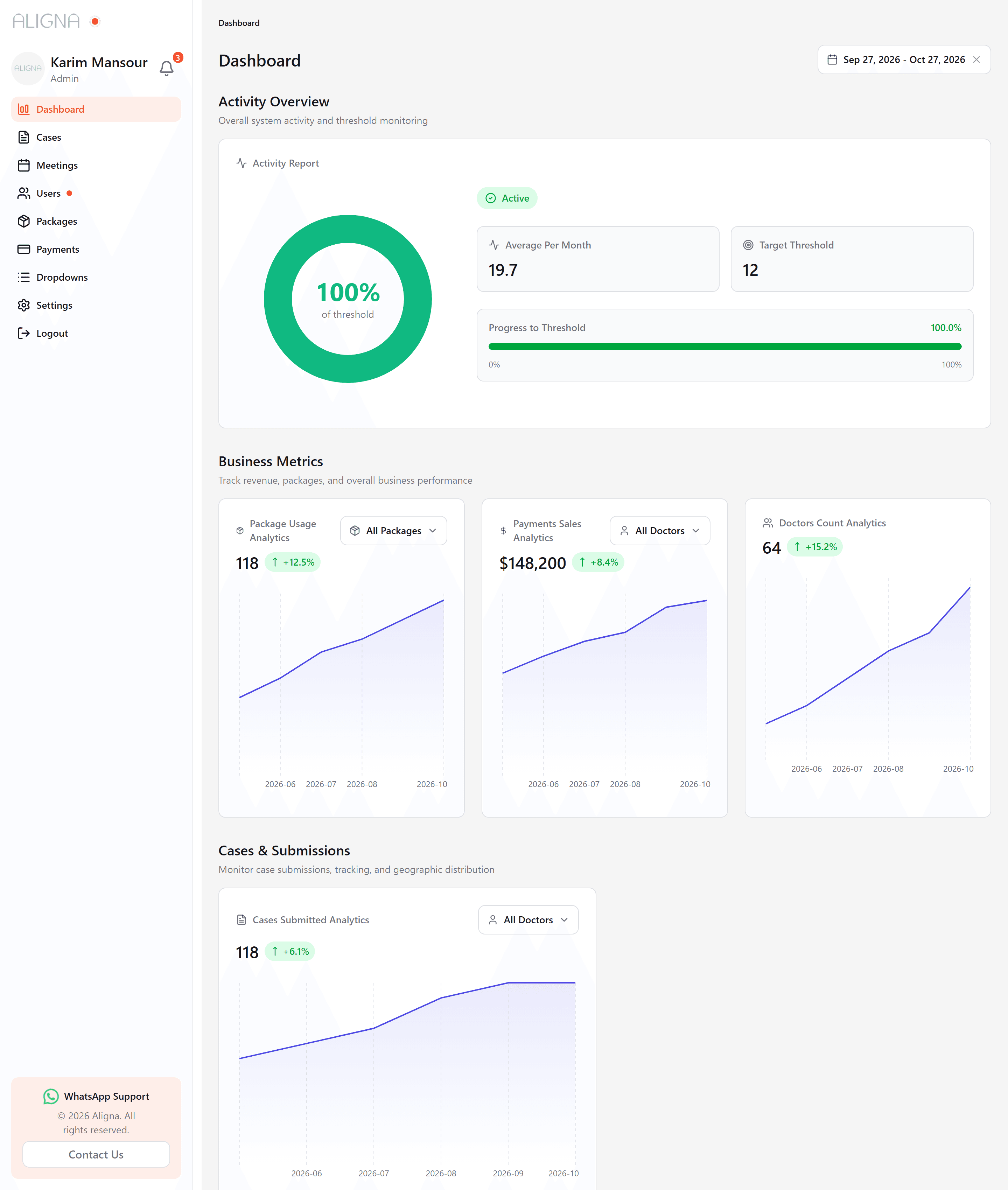
Screen 1 of 9: Doctor dashboard. Real interface, sample data.
Responsive and states
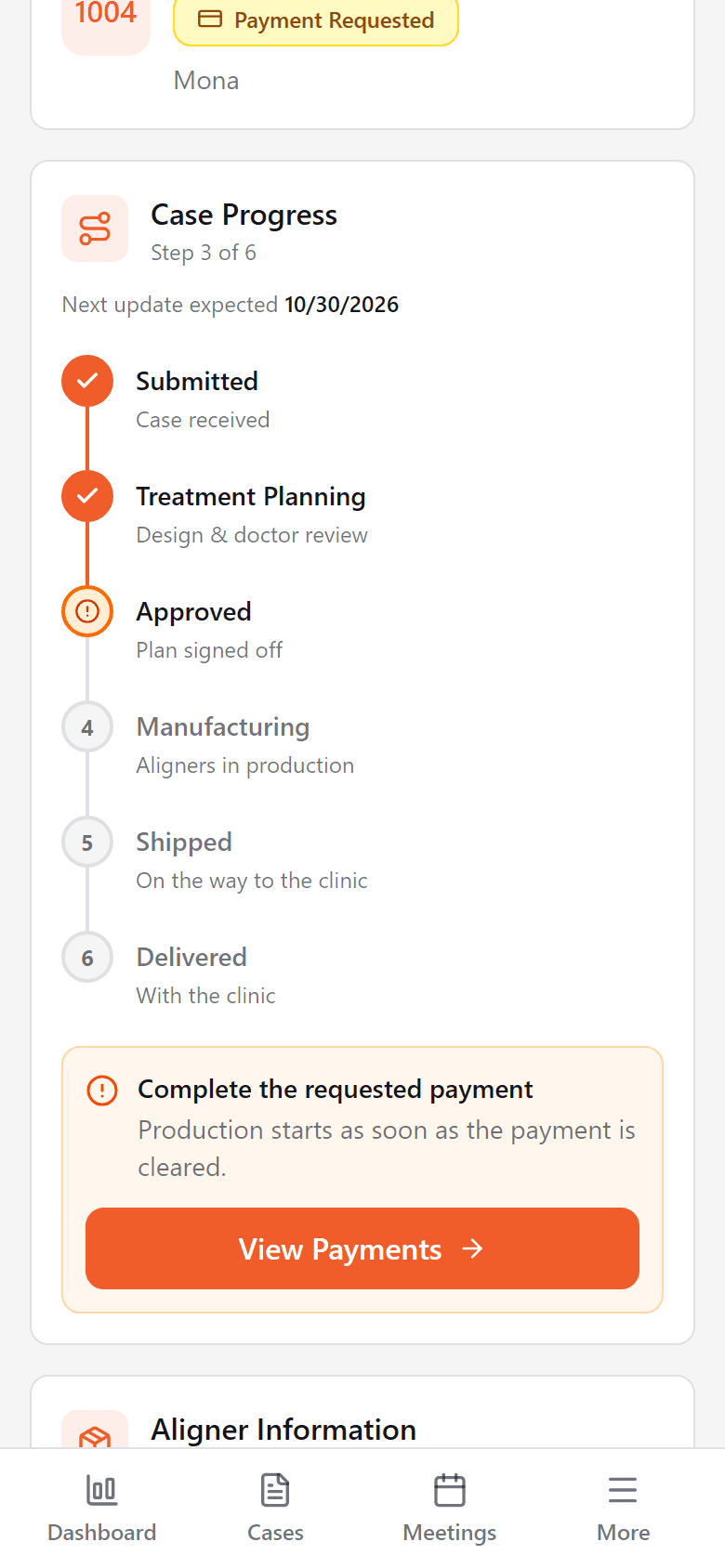
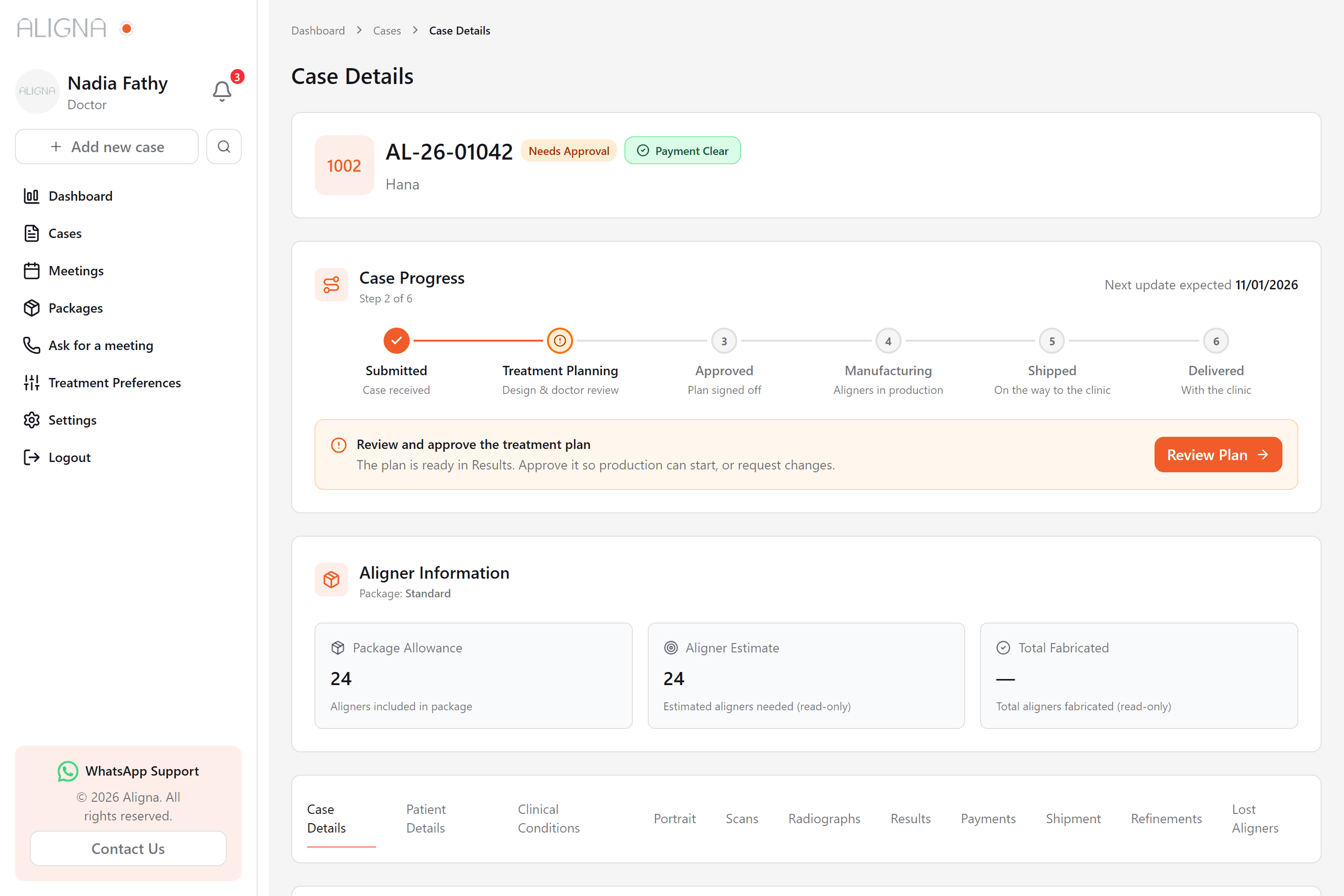
Screen 1 of 1: Case progress on a phone. Real interface, sample data.
Behaviour / flows
Features and flows
A case starts as a draft in the wizard, is submitted, gets a treatment plan from a designer, is approved by the doctor, is paid for, then is fabricated, shipped and delivered. Refinements and lost-aligner replacements continue it after delivery. Every step is visible on the case page and in the activity log, and each role's dashboard surfaces the cases waiting on them.
Case submission
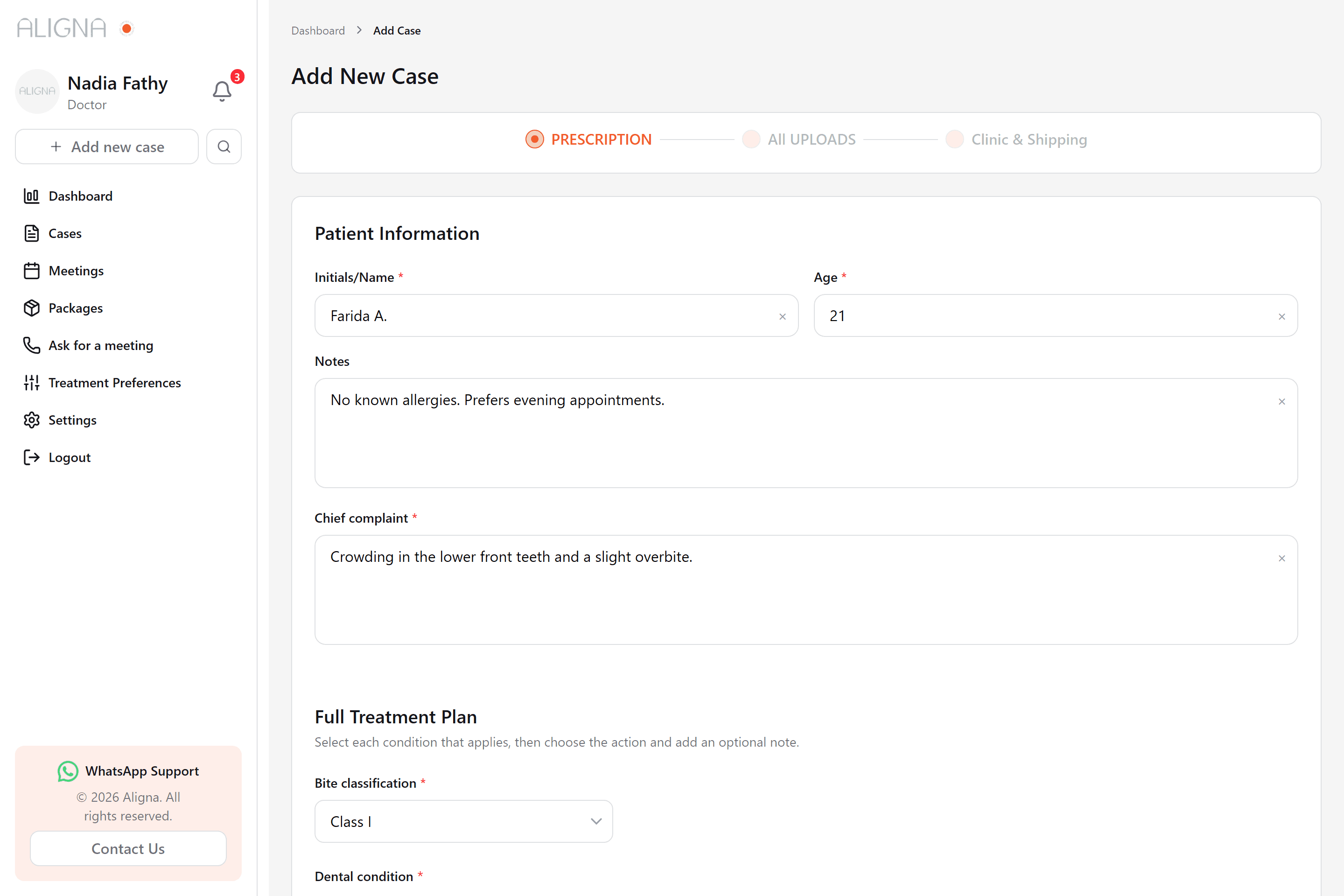
- A three-step wizard (prescription, uploads, clinic and shipping) checks each step before moving on and can save the case as a draft at any point.
- Treatment preferences start from the doctor's saved defaults, so a routine case needs only the patient-specific answers.
- Scans, photos and radiographs upload in the background with progress cards that stay visible while the doctor keeps working.
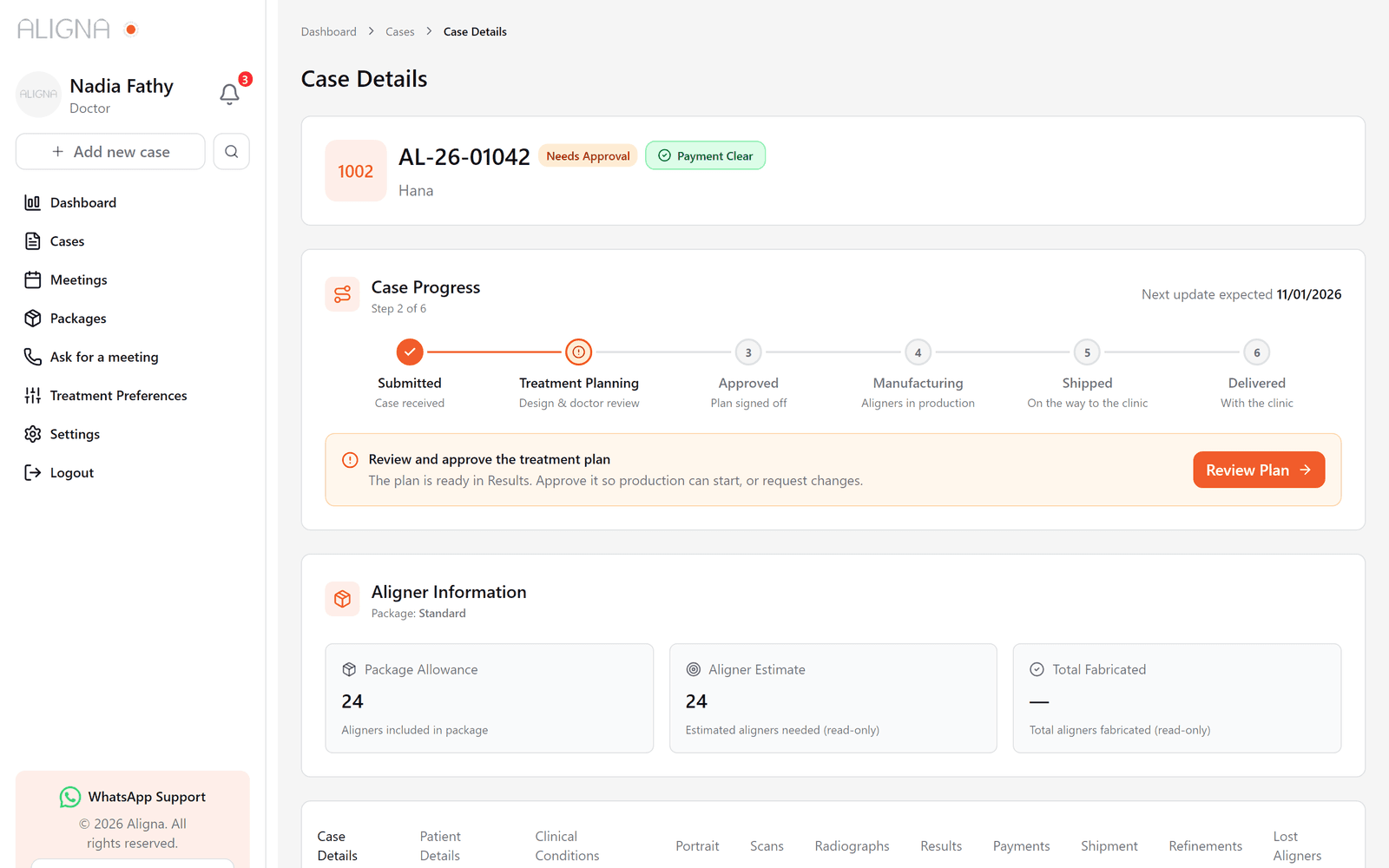
Case progress and next steps
- Every case shows where it is in six phases, from submitted to delivered, with the date the next update is expected.
- The next step is written for whoever is looking: a doctor sees what to approve or pay, the design and production teams see what to do next.
- One button opens the section that step needs, such as Results to review a plan or Shipment to send the aligners.
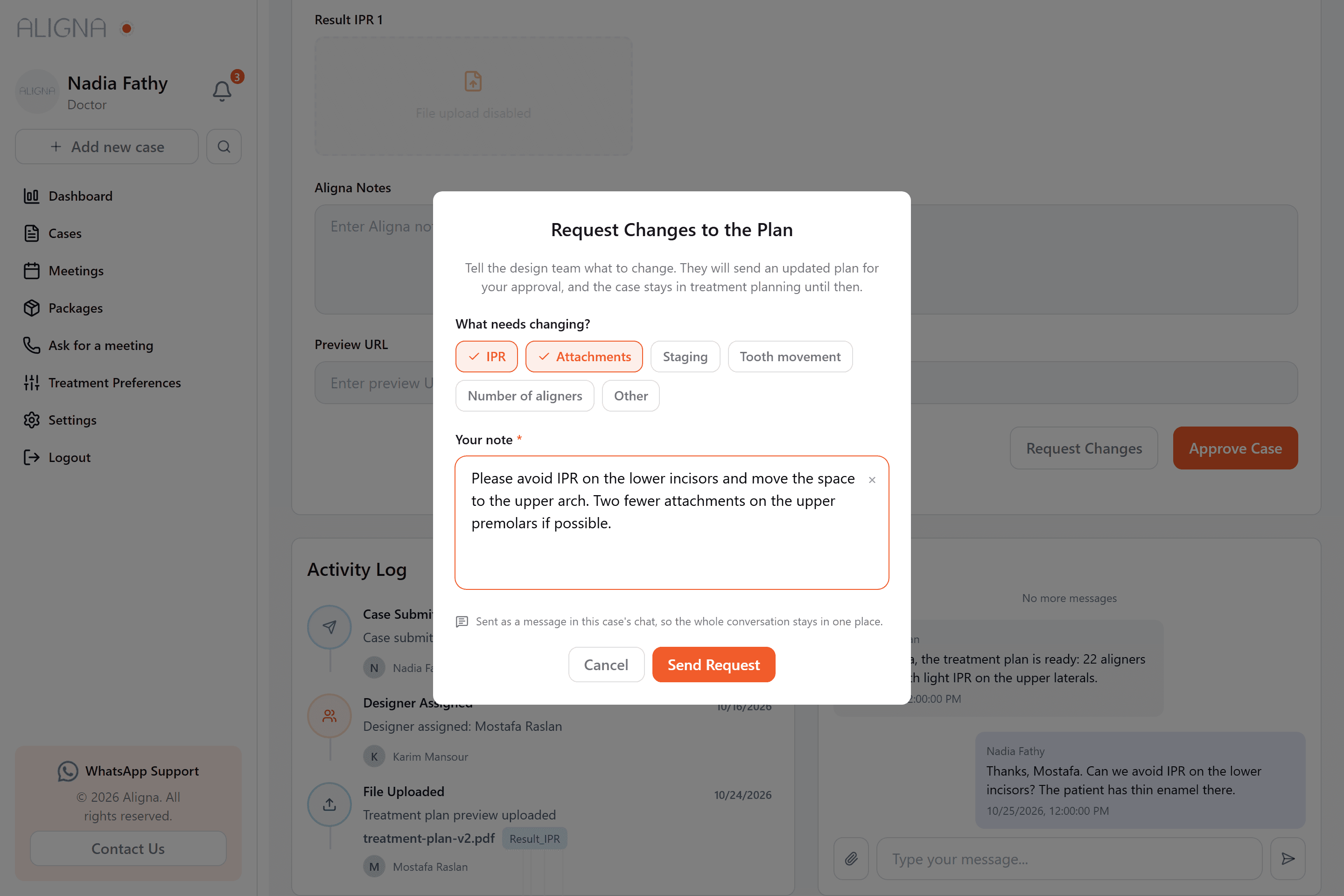
- On a plan, the doctor can approve it or request changes: tag what needs changing, write a note, and it reaches the designer in the case chat.
One workspace per case
- Eleven sections hold the whole case: details, patient, clinical conditions, photos, scans, radiographs, results, payments, shipments, refinements and lost aligners.
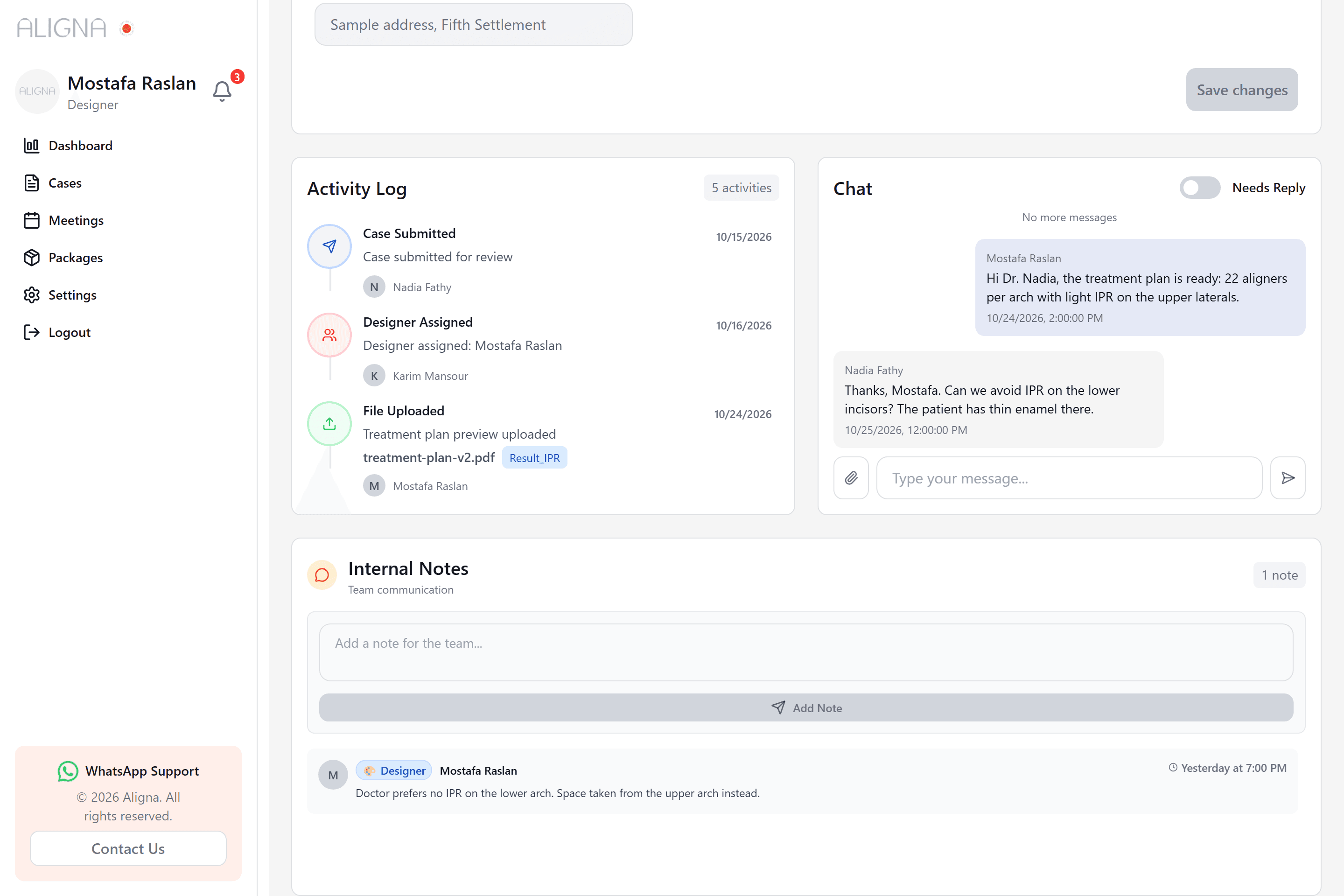
- An activity log records every submission, assignment, upload and status change with who did it and when.
- Doctors and the team talk in a real-time chat on the case, with attachments and a needs-reply flag; the team also keeps internal notes the doctor never sees.
A dashboard for each role
- Doctors see completed, refined and draft cases, cases submitted per month, and the cases that need their approval, reply or payment.
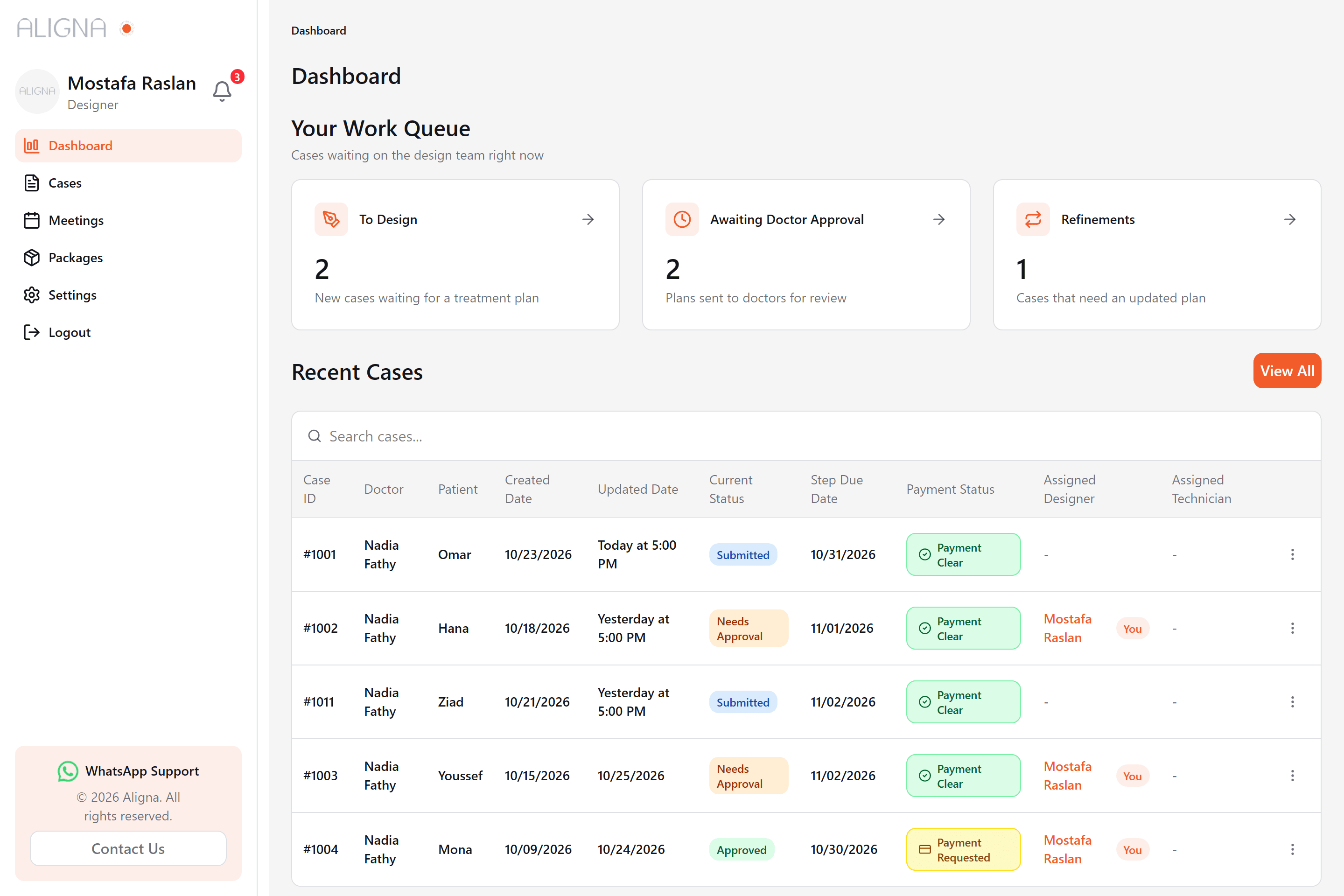
- Designers, technicians and customer service see the queues waiting on them, each opening the cases list already filtered.
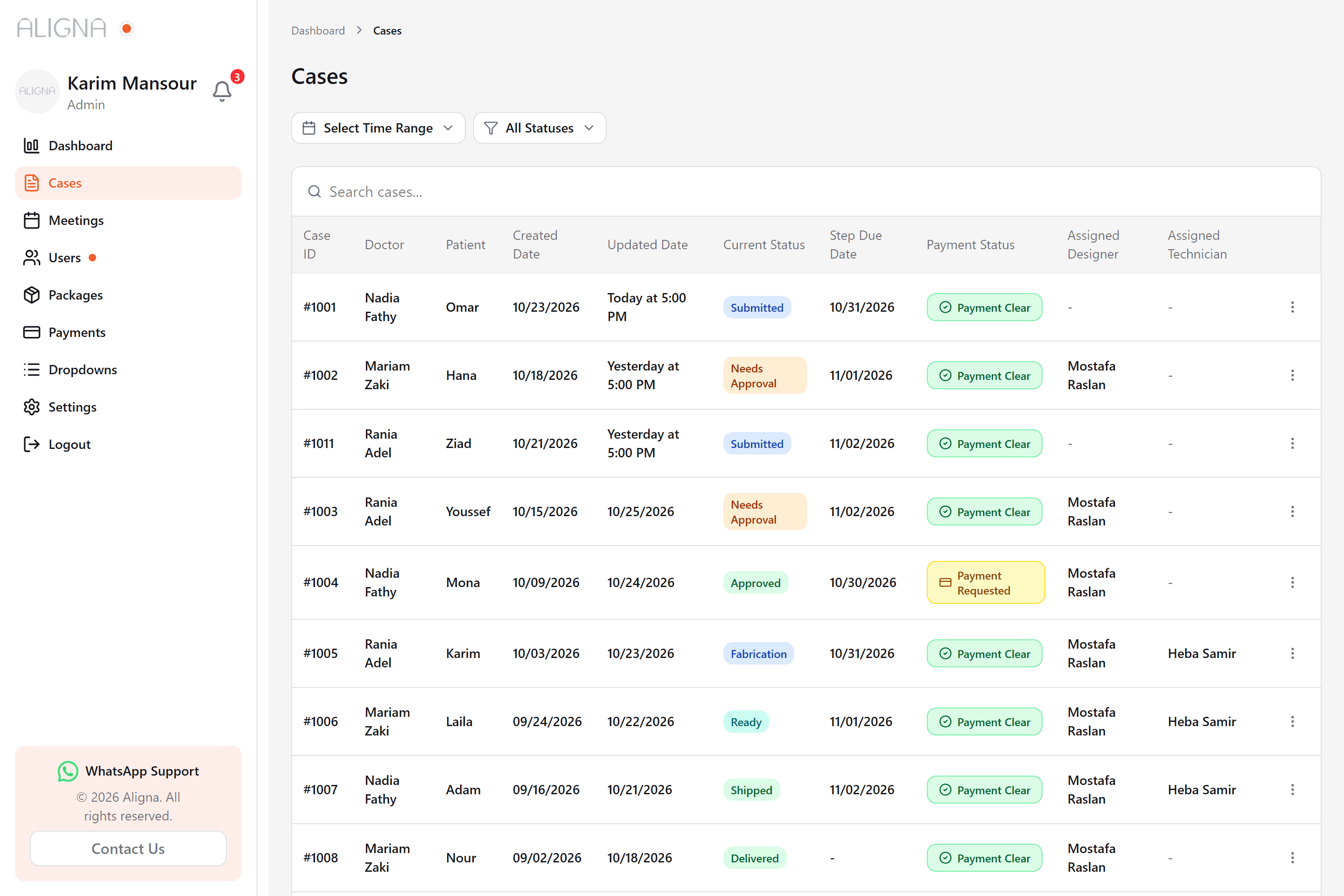
- Administrators follow activity against a target, package usage, sales, new doctors, cases per zone and team turnaround, over any date range.
Running the service
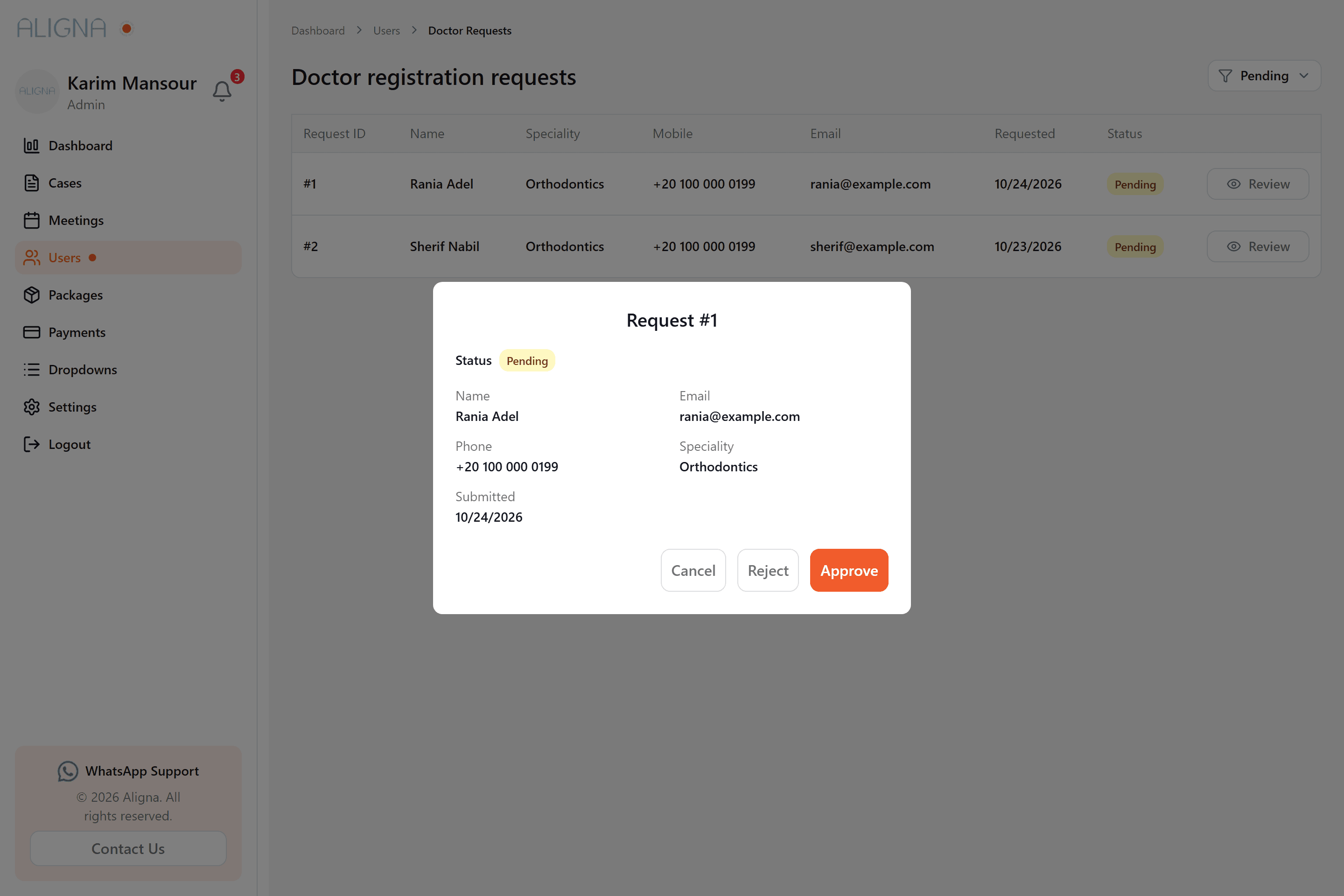
- New doctors register and wait in an approval queue that administrators review, approve or reject.
- Packages, payment requests (paid or rejected), clinic lists, form options, weekly meeting slots and meeting requests are all managed in the app.
- Contact Us opens WhatsApp with the open case already named, email, or, for doctors, a meeting booking.
Engineering / decisions
Architecture and decisions
The app is organised by role. Navigation, dashboards and actions are filtered by the signed-in role, and the same shell works as a side navigation with tables on desktop and a bottom navigation with card lists on phones.
Access decided once, at the edge
Middleware checks every request against one table of route prefixes and the roles allowed in (for example payments for administrators and customer service, preferences for doctors only, no add-case for technicians) and redirects anyone else, so no page has to repeat the rule.
The server stays the source of truth
Chat and notification sockets do not patch local copies of the data. Each event invalidates the matching TanStack Query keys, so lists, badges and messages refetch and always match the server.
One form for new and existing cases
A single form hook drives both the three-step wizard and the eleven-section case view, with a Zod schema per step. Any section can be opened from a link (?tab=results), which is how the progress tracker sends people to the right place.
Progress derived, not stored
The six phases and the role-specific next step are worked out from the case's existing status, payment state and expected date in one small module, so the tracker needed no new API and cannot drift from the status the team sets.
Upload state keyed by case and field
A root-level upload provider keeps a map keyed by case ID and field name, so an upload survives moving between pages and every input restores its file and progress from that shared state.
Counts from the API, not the page
The work-queue cards ask the cases endpoint for each status and read its total, instead of counting the rows a page happens to hold, so a busy queue is never under-reported.
Stack / tools
Technologies
- Next.js
- React
- TypeScript
- Tailwind CSS
- TanStack Query
- TanStack Table
- React Hook Form
- Zod
- NextAuth.js
- Socket.IO
- Recharts
- Headless UI