SaaS products
Wajihni
A platform where companies publish training programs and internships, students apply, and companies review applicants and decide.
Context / scope
Overview and scope
Wajihni connects students with companies through training programs and internships. Companies publish programs with a duration, field and capacity; students apply and follow each application to a decision.
Pages: home, sign-up for each side, sign-in, account activation, password recovery, profile completion, and dashboards for students (programs, applications, skills) and companies (programs, applicants).
Students need to find programs that fit their field and know where each application stands. Companies need to publish programs and decide on applicants without spreadsheets or email threads, and both need a safe sign-up with email activation.
Solo full-stack developer: all 46 commits across the front end (14) and the API (32), built in March and April 2024.
Results
- Delivered a two-sided platform end to end, from sign-up and activation to publishing programs, applying and deciding on applicants.
- No usage figures were recorded, so none are claimed. Names, emails and phone numbers in the captures are sample values.
Interface / screens
Walkthrough
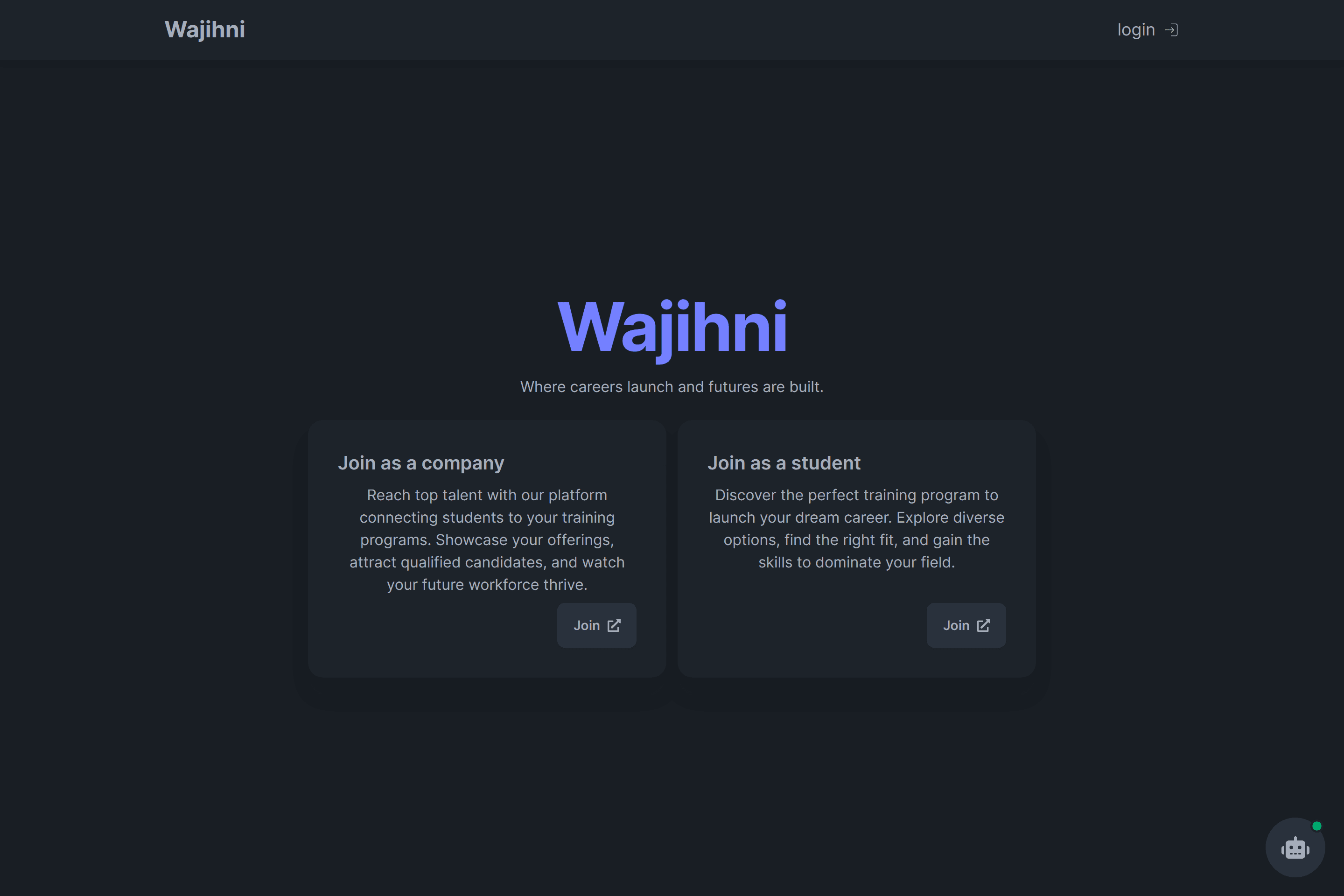
Screen 1 of 9: Home page. Real interface, sample data.
Responsive and states
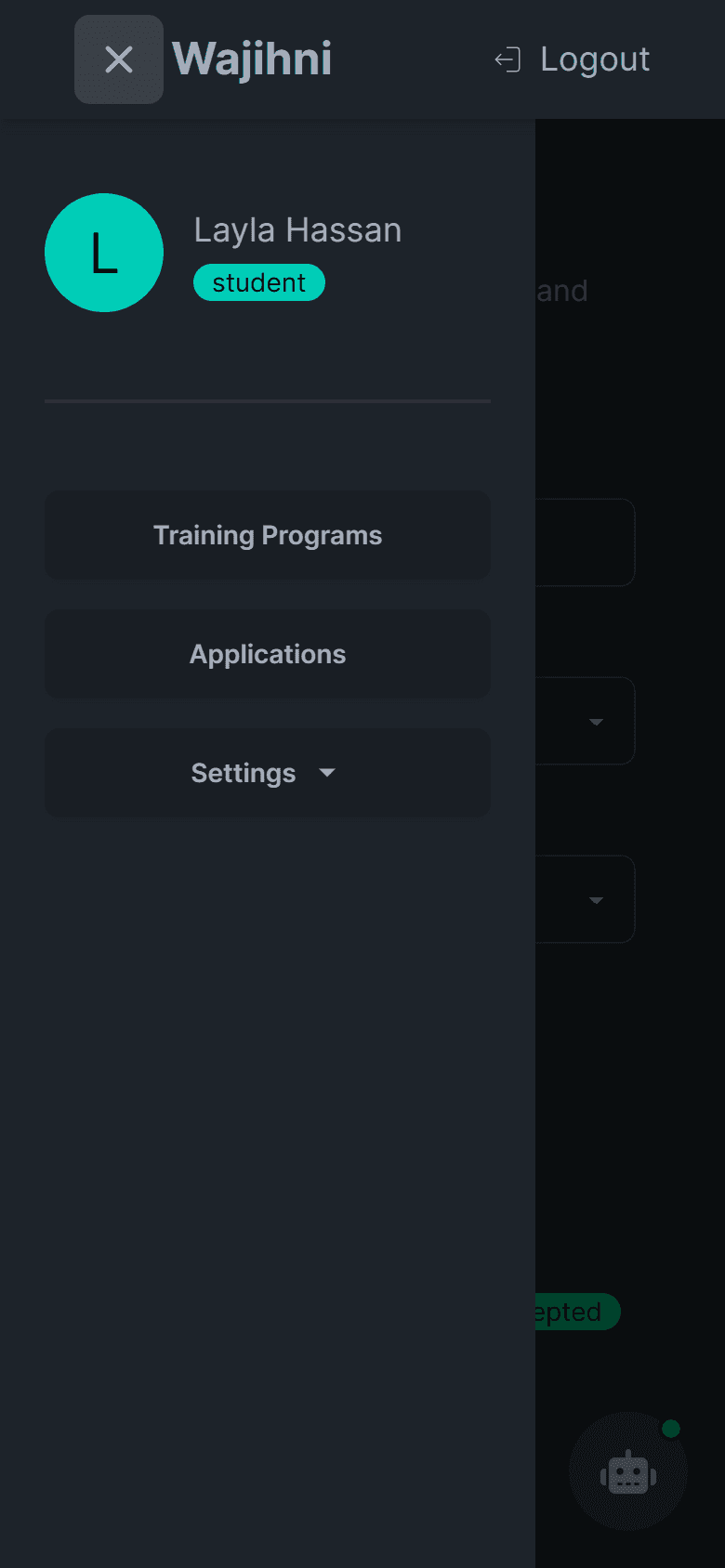
Screen 1 of 1: Dashboard menu on a phone. Real interface, sample data.
Behaviour / flows
Features and flows
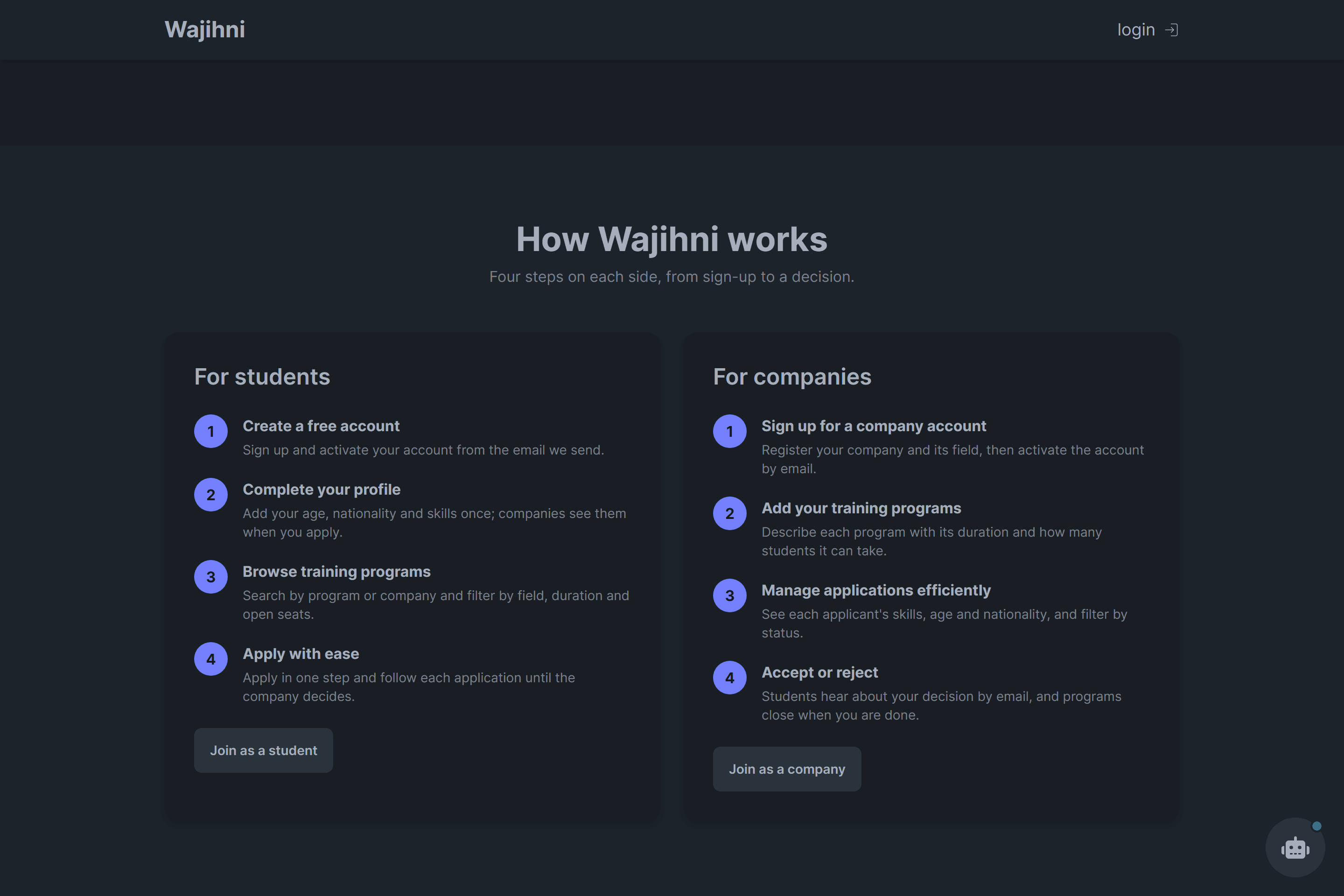
Student: sign up, activate, complete the profile, search and filter programs, check the details, apply, and follow the decision.
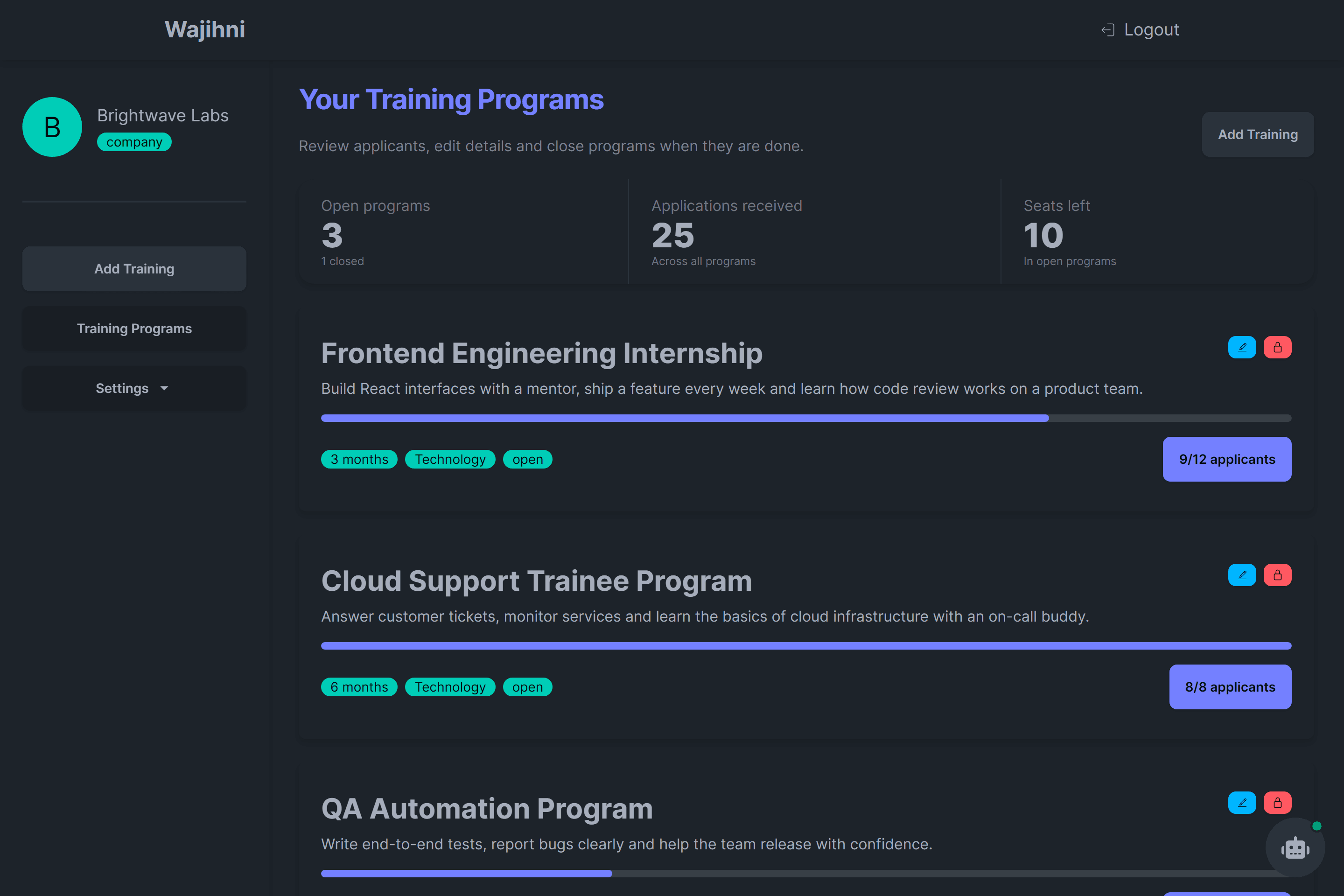
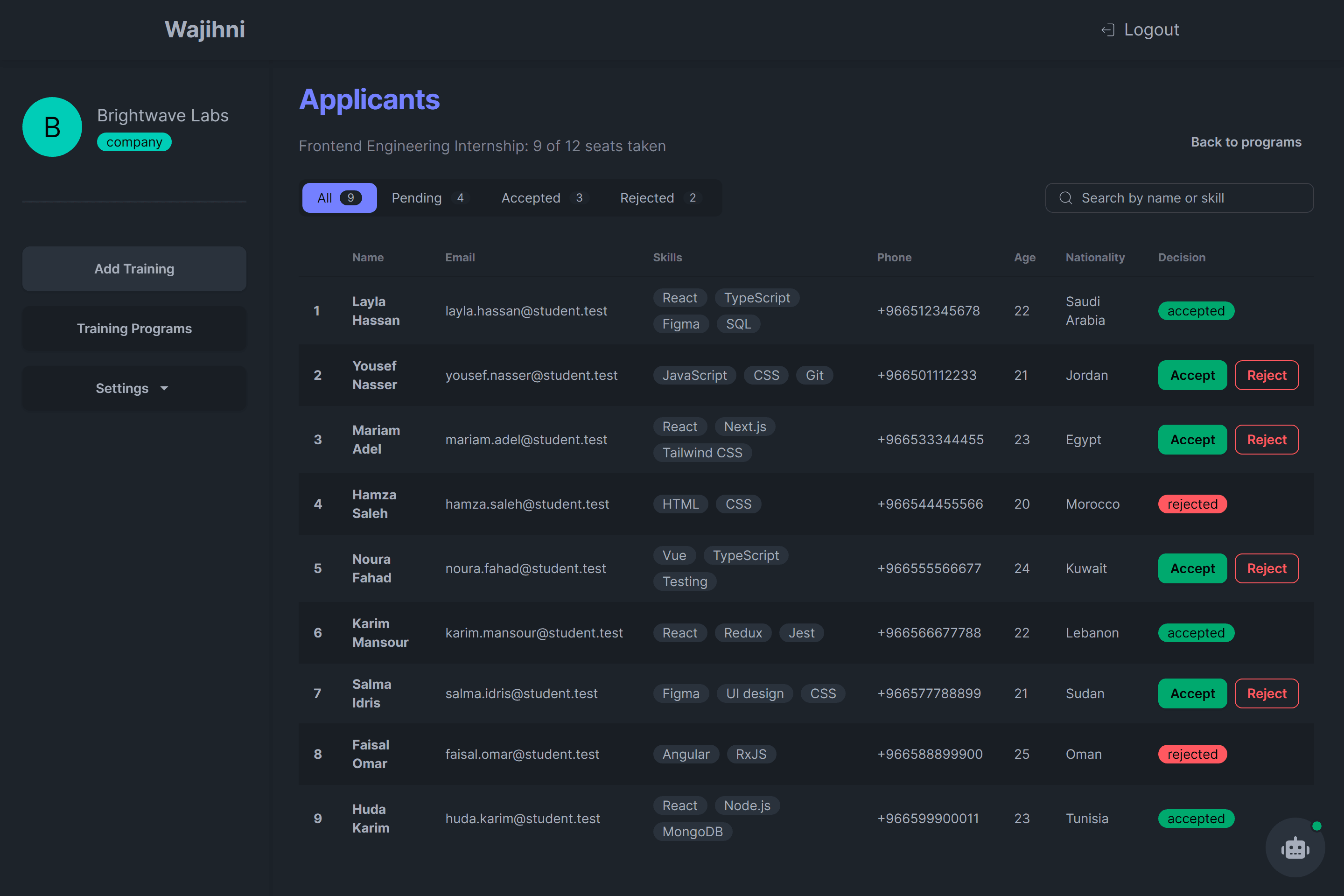
Company: sign up, activate, add programs, watch the overview, review applicants by status, accept or reject, and close a program when it is done.
Finding and applying
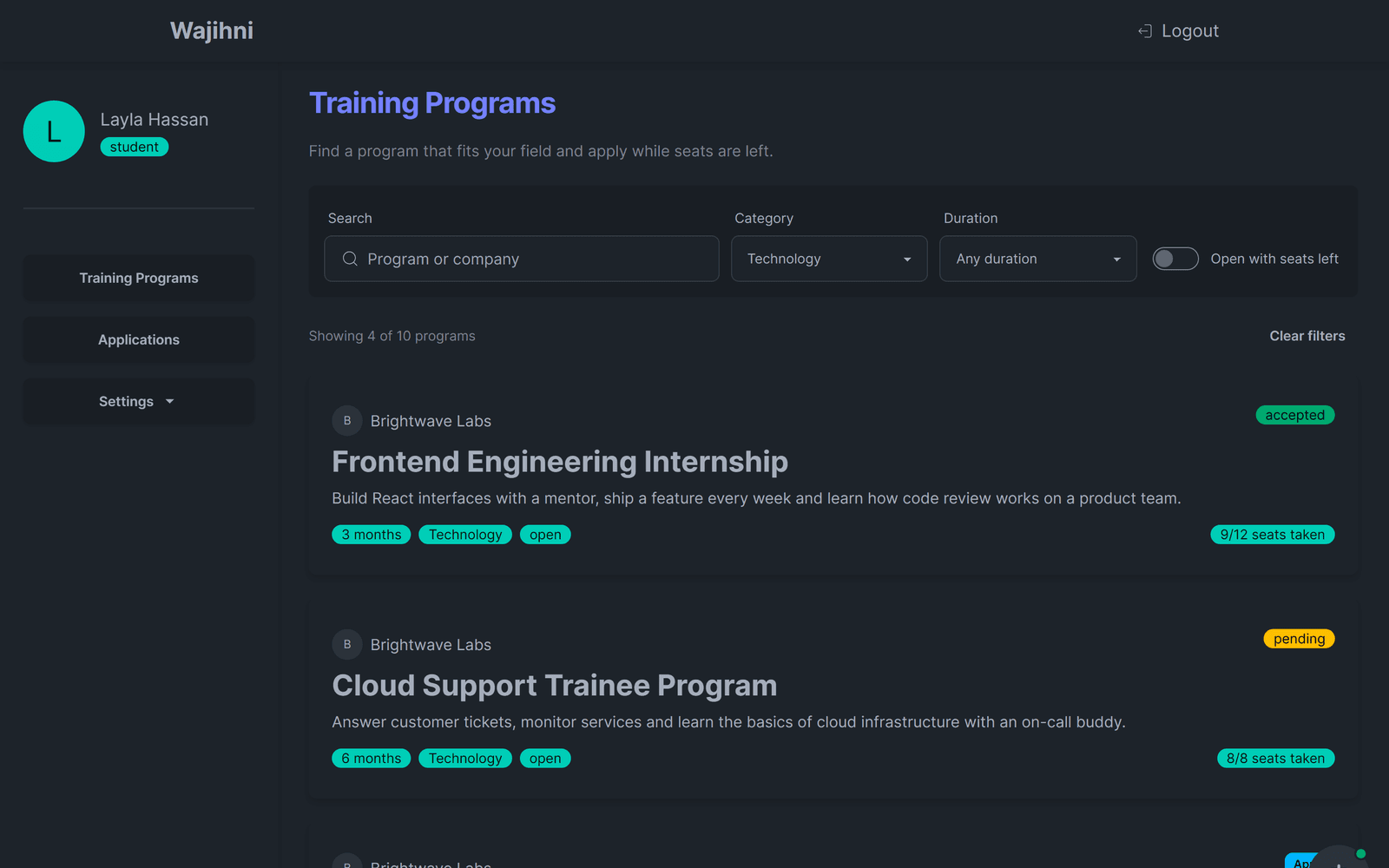
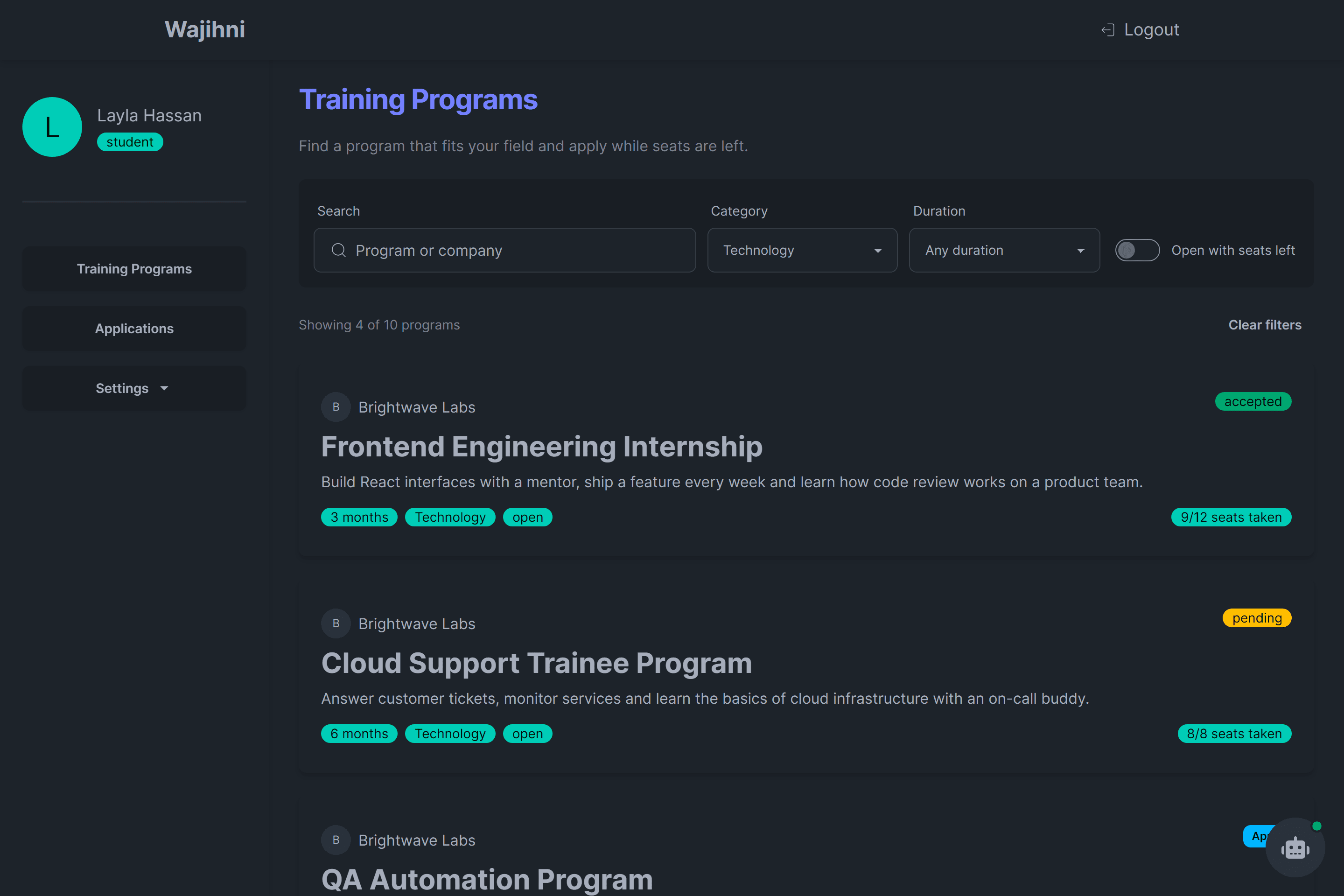
- Students search programs by name or company, filter by field and duration, and can show only programs that are open with seats left.
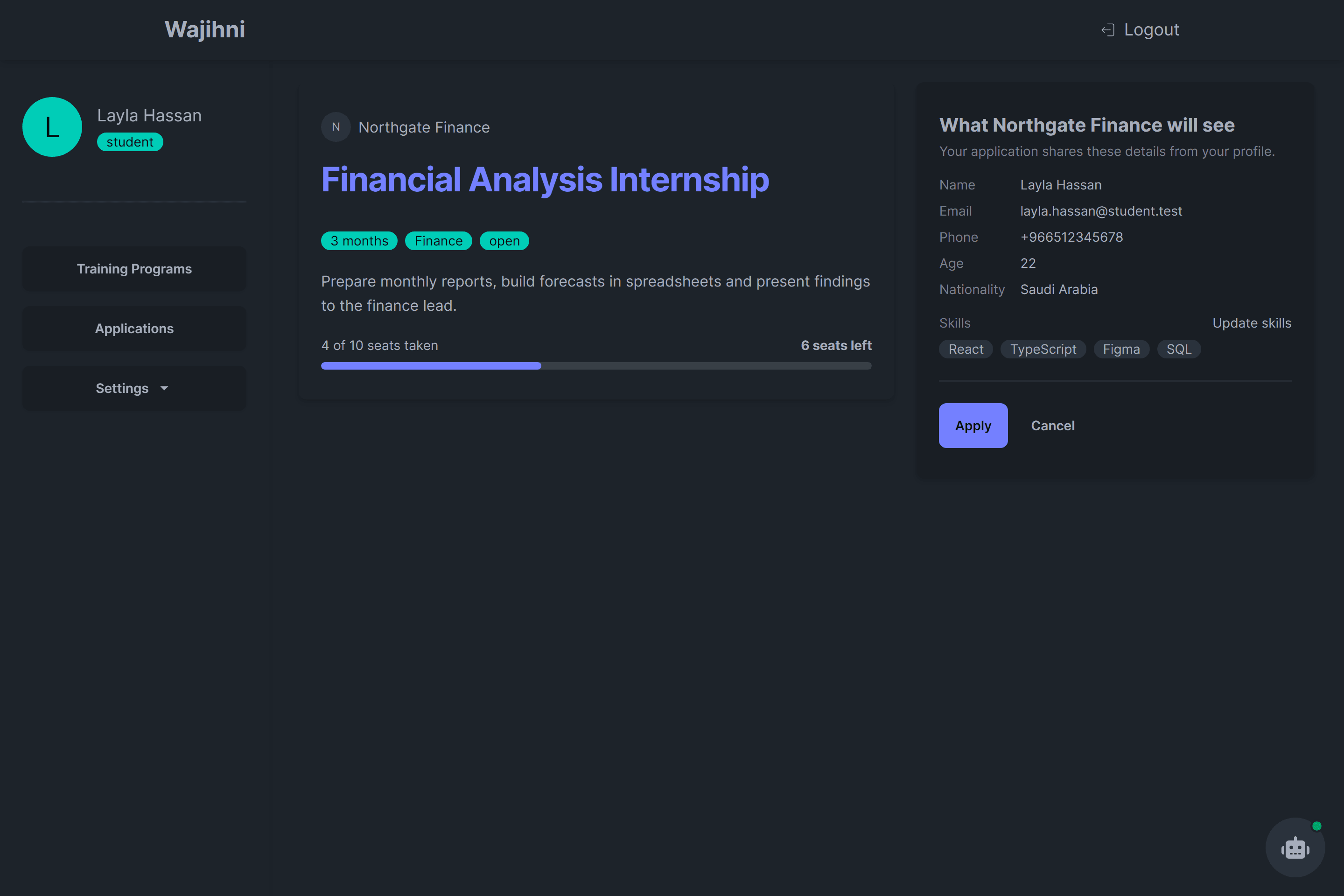
- Before applying, a student sees the program, how many seats are left and exactly what the company will see from their profile.
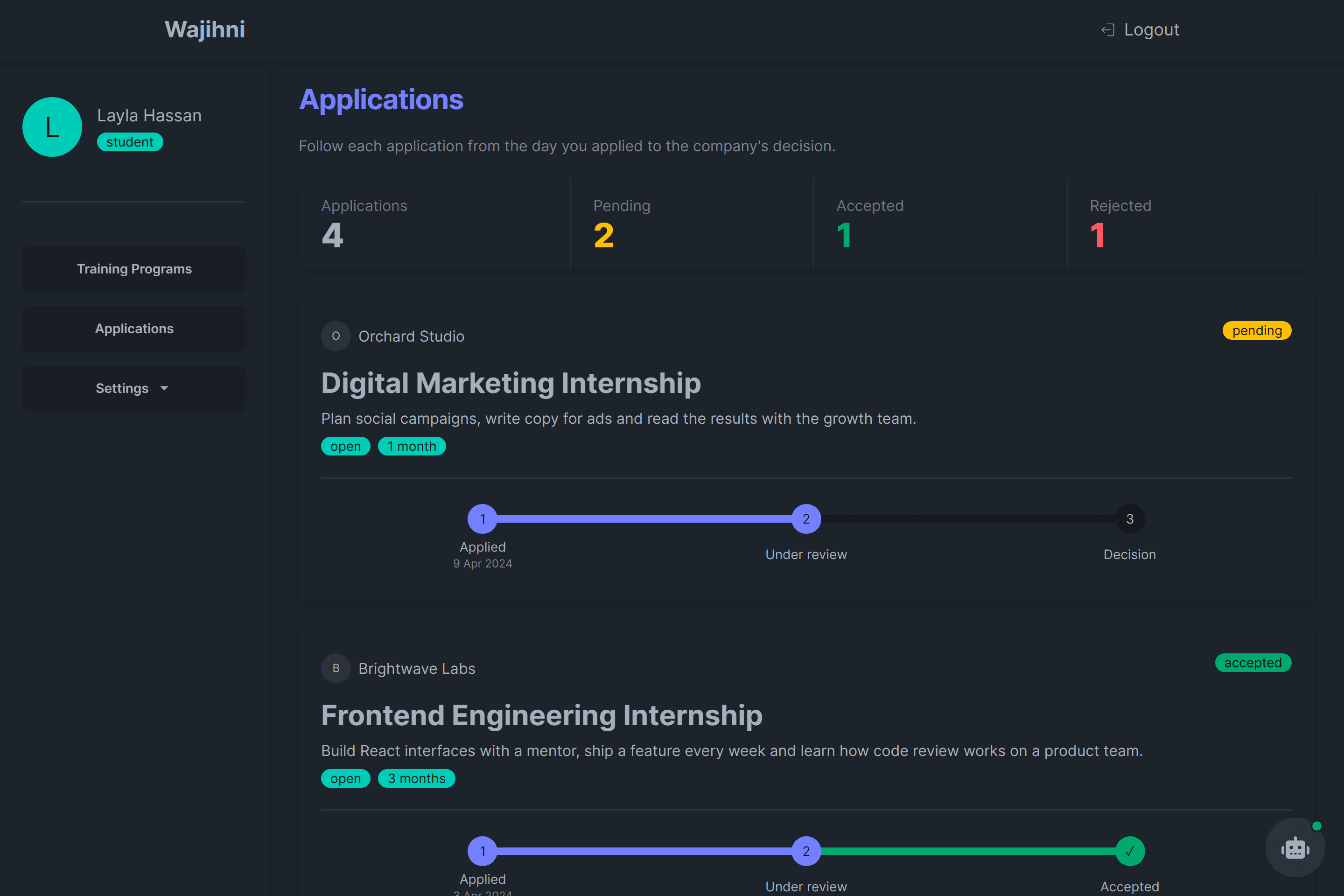
- Each application shows its steps, from the date it was sent to the company's decision, under a count of pending, accepted and rejected.
Running programs as a company
- An overview counts open programs, applications received and seats left, and each program shows how full it is.
- Companies add, edit and close programs, with the duration, capacity and field checked against the API's rules.
- Applicants are listed with skills, age and nationality, with tabs by status and a search by name or skill.
- Rejecting asks first, because the student is emailed and the decision cannot be changed.
Accounts
- Separate sign-up for students and companies, activation by email, sign-in, forgotten and changed passwords.
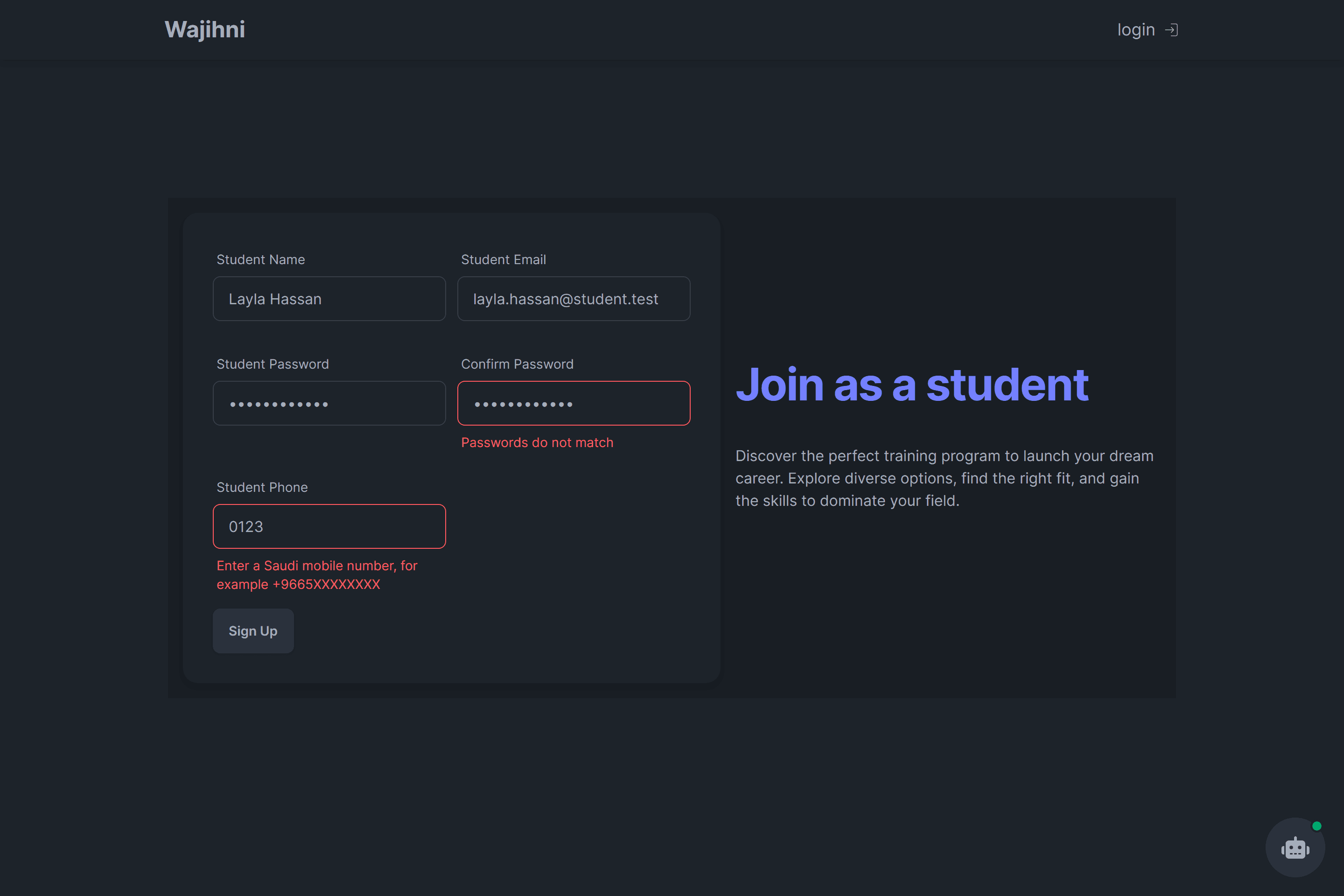
- Sign-up checks names, passwords and phone numbers with the same rules as the API, so mistakes show before the form is sent.
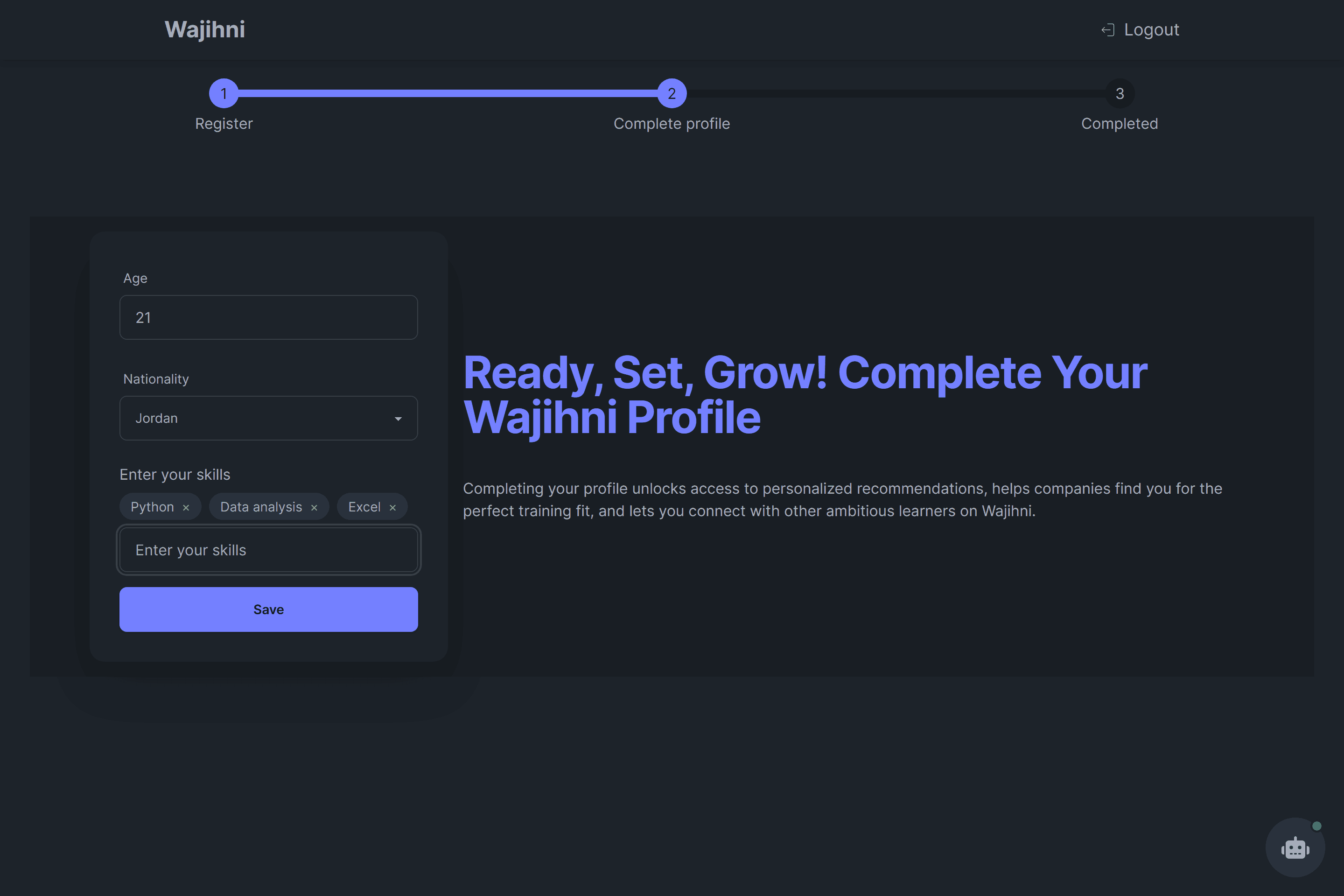
- Students complete a profile once (age, nationality, skills as tags) and can update their skills later.
Checks and emails in the API
- Before an application is created, the API checks the student's profile, duplicate applications, whether the program is open and whether seats are left.
- Applying, acceptance and rejection each send the student an email.
Engineering / decisions
Architecture and decisions
daisyUI's dark theme gives the dashboards one look with little custom CSS: badges for status, steps for progress, stats for the overview and a dialog for confirmations.
On phones the dashboard sidebar opens from a menu button over a dimmed page and closes with Escape, the backdrop or a change of page.
Roles decide the routes
Middleware reads the role from the sign-in token, so a company is sent away from student pages and a student from company pages, signed-in users skip the sign-up pages, and visitors can still open sign-in and password pages directly.
Data on the server, actions through server actions
Pages fetch on the server and changes go through Next.js server actions, which attach the token from a cookie, so components never call the API themselves.
One validation step for every route
Express middleware merges the body, route parameters and query into one object for Joi and returns every error at once rather than the first one.
Applications as their own model
An application references the student and the program, and the program keeps a count of applications, so capacity can be checked without loading every application.
Built from the data the API returns
Search, filters, the company overview and the status tabs work on lists the API already returns, so the interface gained them without new endpoints.
Limits / notes
Known limitations
- The help chatbot answers from a fixed set of options; it is not an AI assistant.
- The captures run the real front end against a local stand-in for the API, so actions show their result without changing a database or sending email.
Stack / tools
Technologies
- Next.js
- React
- TypeScript
- Tailwind CSS
- daisyUI
- React Hook Form
- Express
- MongoDB
- Mongoose
- Joi
- Nodemailer