HemexDashboards
Hemex dashboards
The instructor dashboard and parent portal of a coding academy for children: sessions, attendance and availability for instructors, students and level booking for parents.
Context / scope
Overview and scope
Hemex is a coding academy for children in Egypt. Students learn in rounds of weekly sessions, and the platform has a separate app for each role around one API.
This project covers two of them: the instructor dashboard (Next.js with MUI, NextAuth and server actions) and the parent portal (Next.js with Tailwind, Radix UI primitives and next-intl in English and Arabic).
Instructors teach several rounds a week and need to know what is next, take attendance and homework quickly, leave feedback for each child, say when they can teach and hand back a session they cannot give.
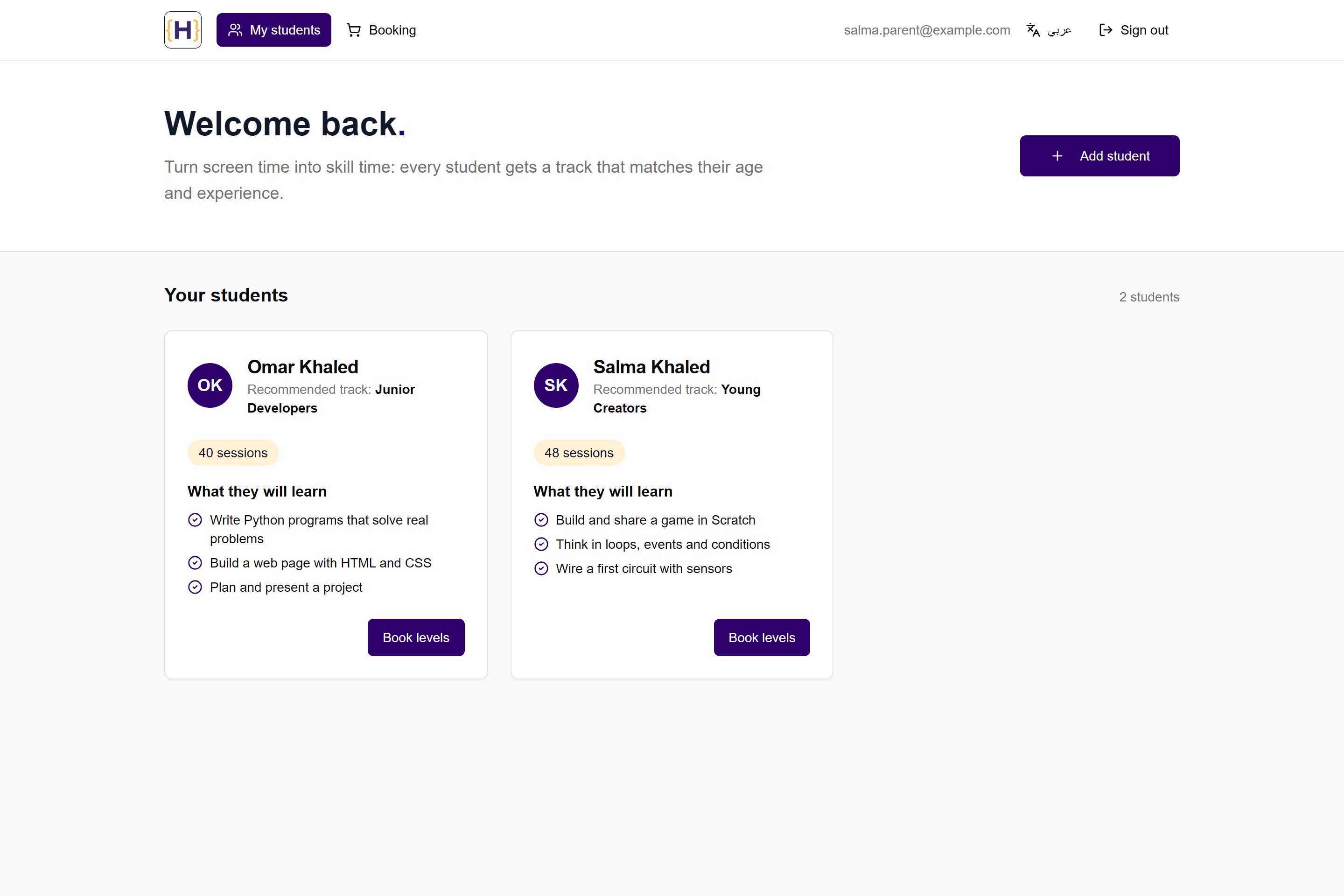
Parents need to see which track suits each child, add a new child and book the next levels without phoning the academy.
Front-end developer on the Hemex platform: wrote the instructor dashboard (116 of its 117 commits, November 2024 to February 2025) and the parent portal (all 41 commits, February to May 2025), built front-end prototypes of the sales and finance consoles, and worked on the rounds and sessions screens of the team's admin app (15 of its 107 commits). The student dashboard, the backend and the rest of the admin app were built by other developers.
Results
- No usage figures were recorded, so none are claimed. Names, emails, sessions and the transfer number in the captures are sample data.
Interface / screens
Walkthrough
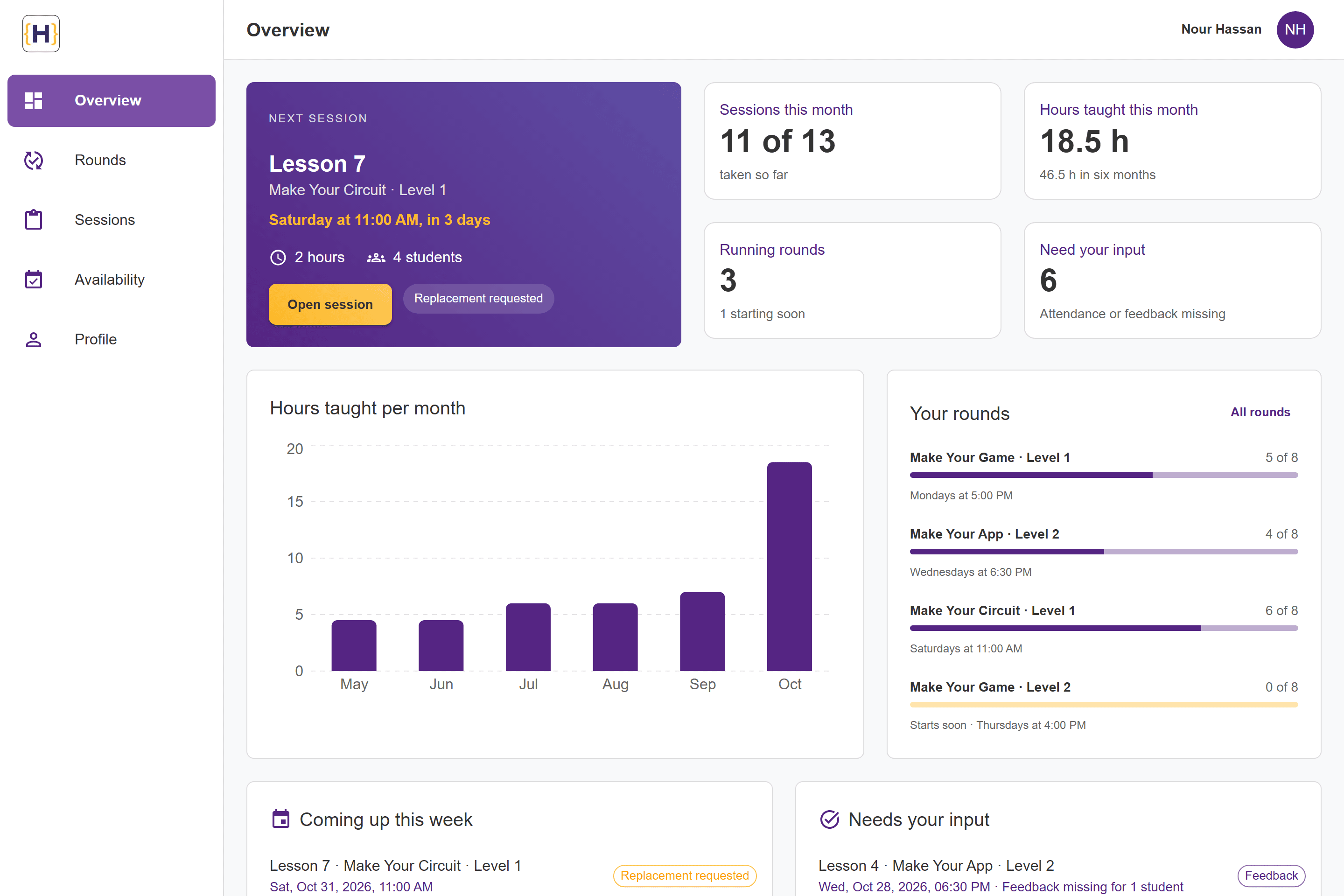
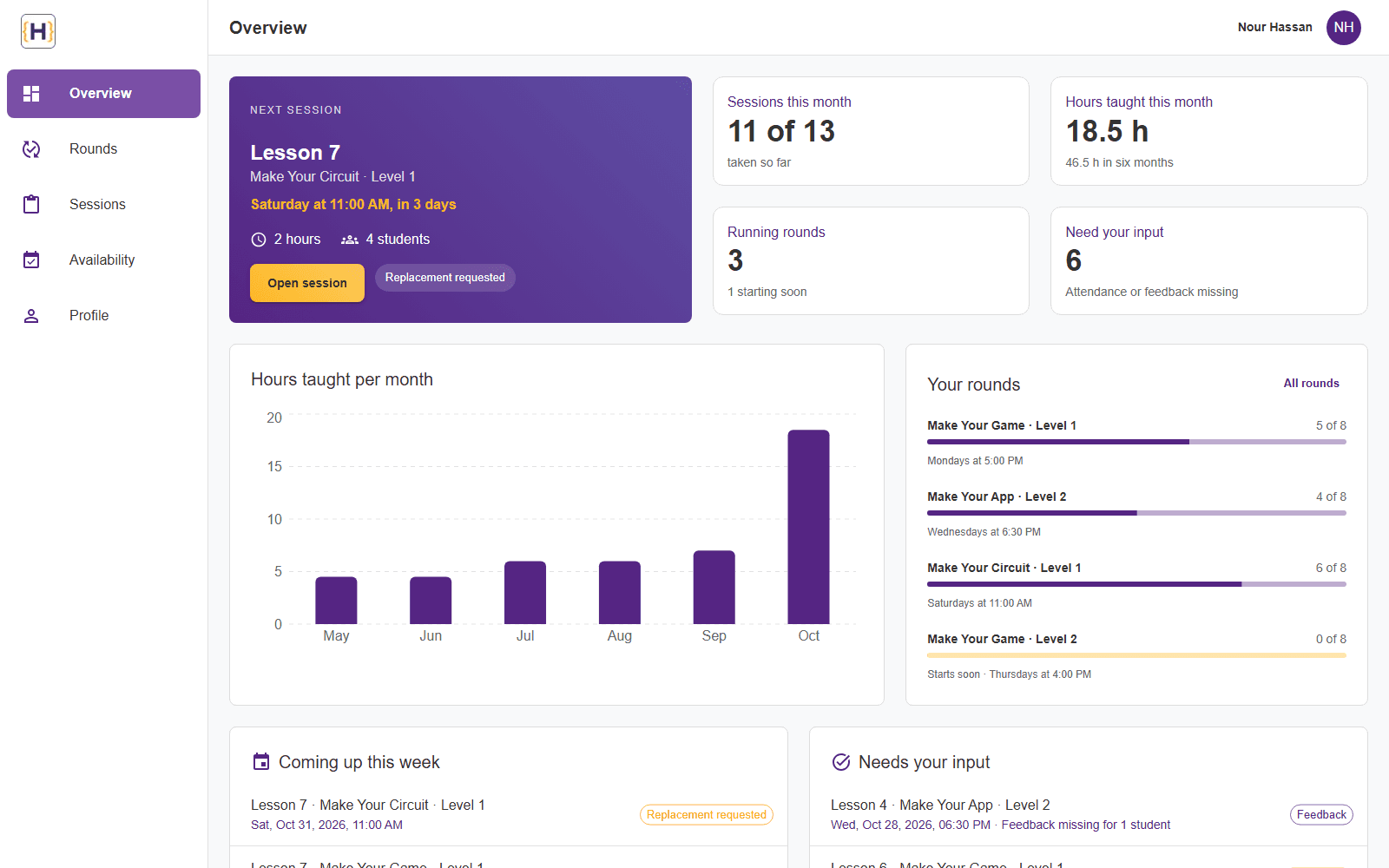
Screen 1 of 9: Instructor overview. Real interface, sample data.
Responsive and states
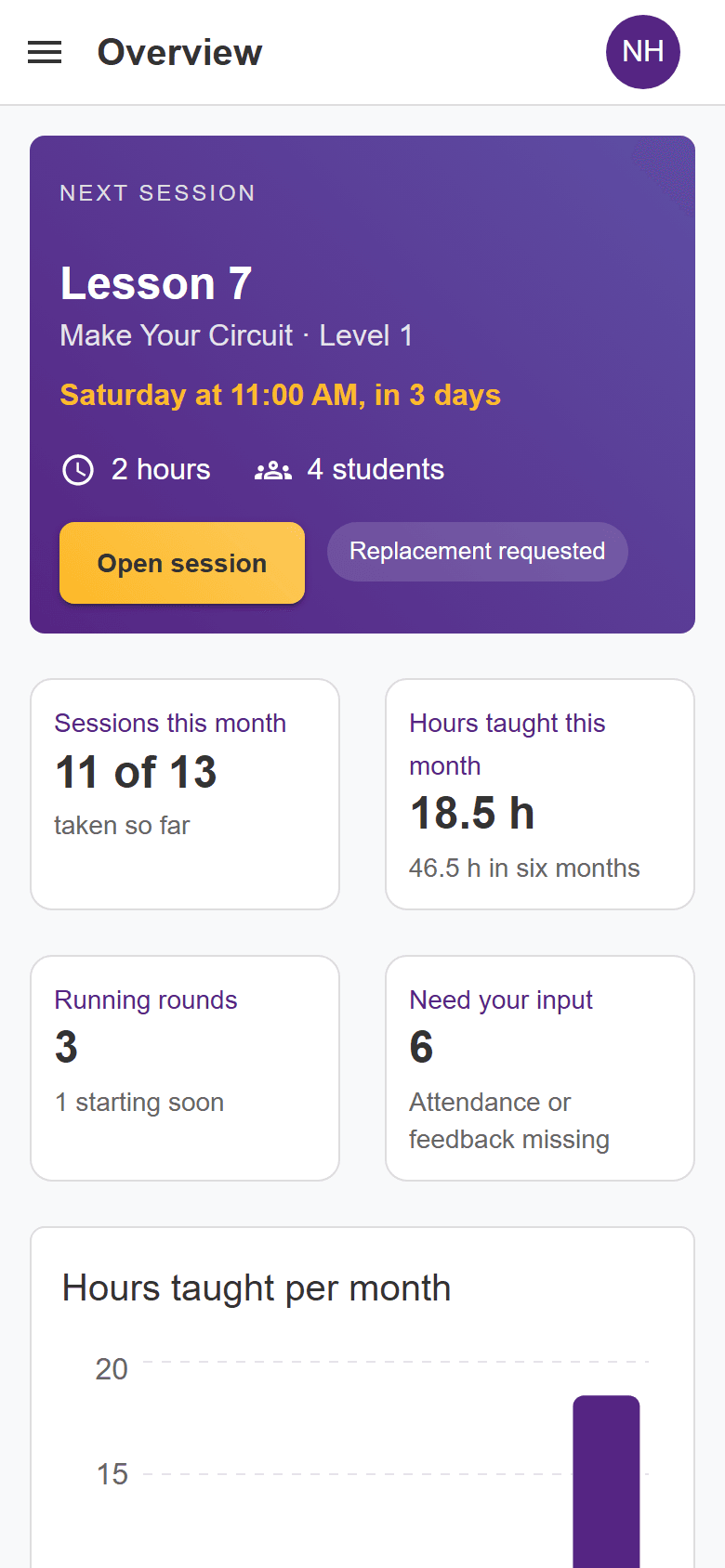
Screen 1 of 1: Instructor overview on a phone. Real interface, sample data.
Behaviour / flows
Features and flows
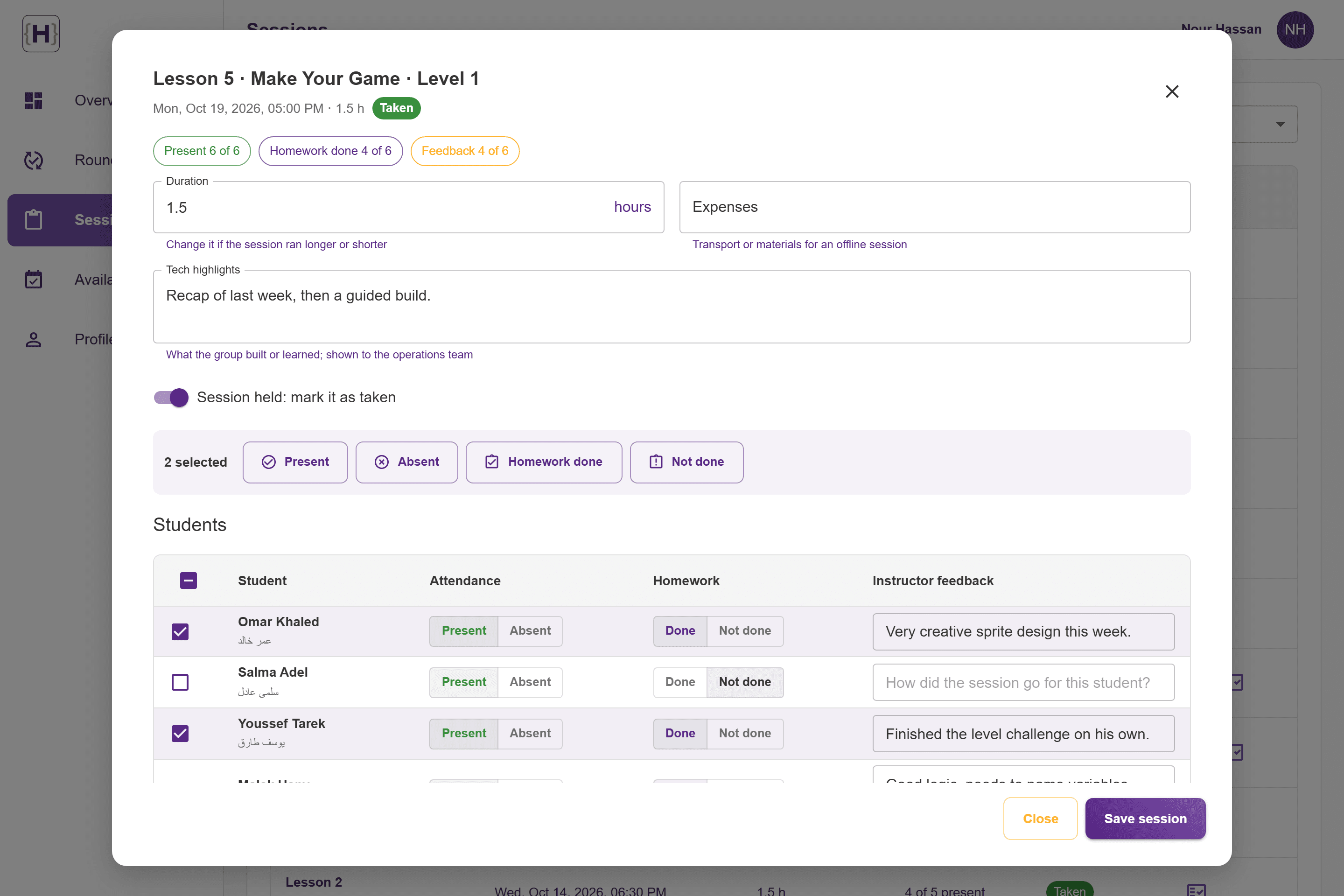
Session: the overview or the sessions list opens a session; the instructor marks attendance and homework for the group, writes feedback, adjusts duration or expenses and closes it as taken.
Replacement: an upcoming session is handed back with one request, and the request shows on the session and on the overview until operations approve it.
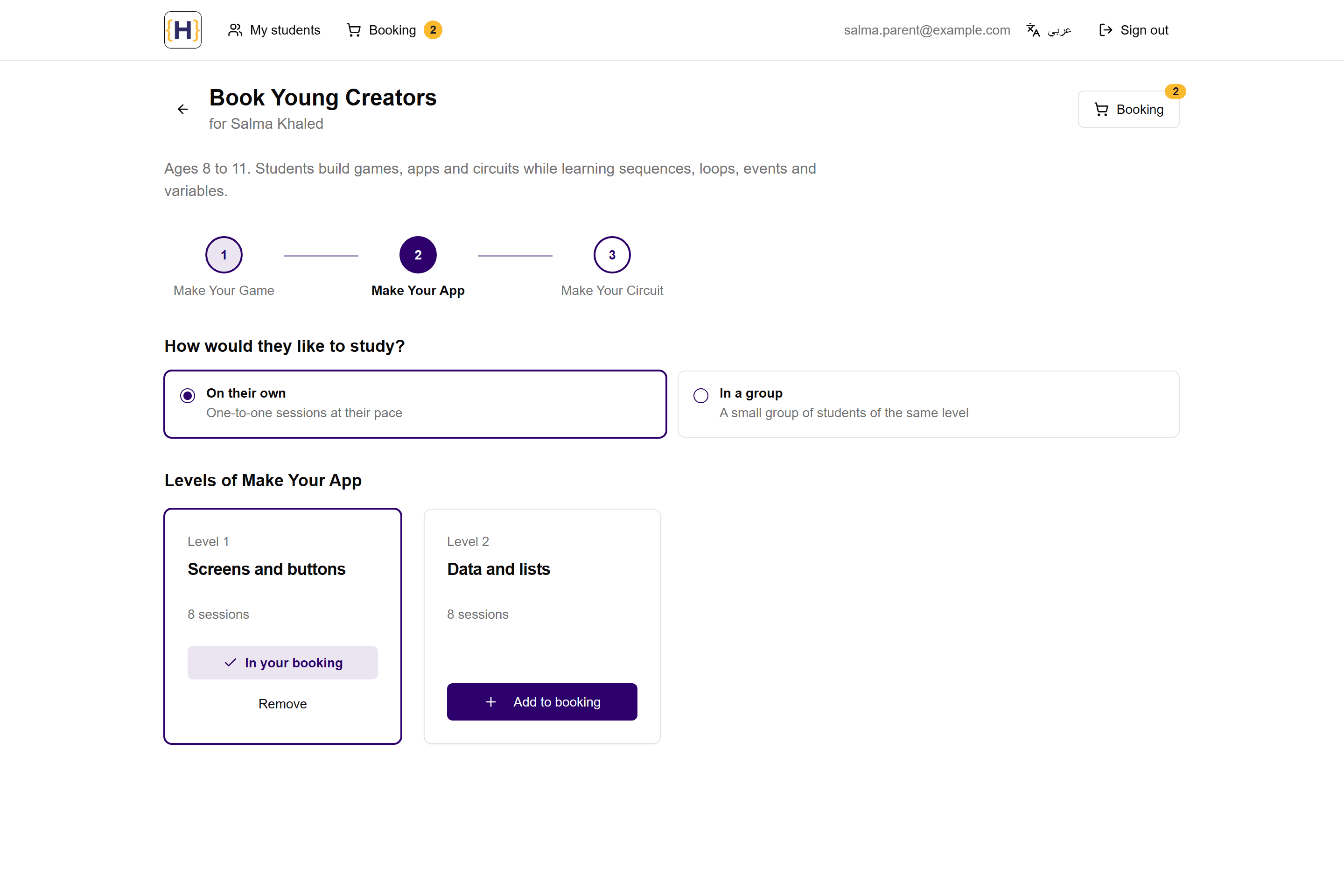
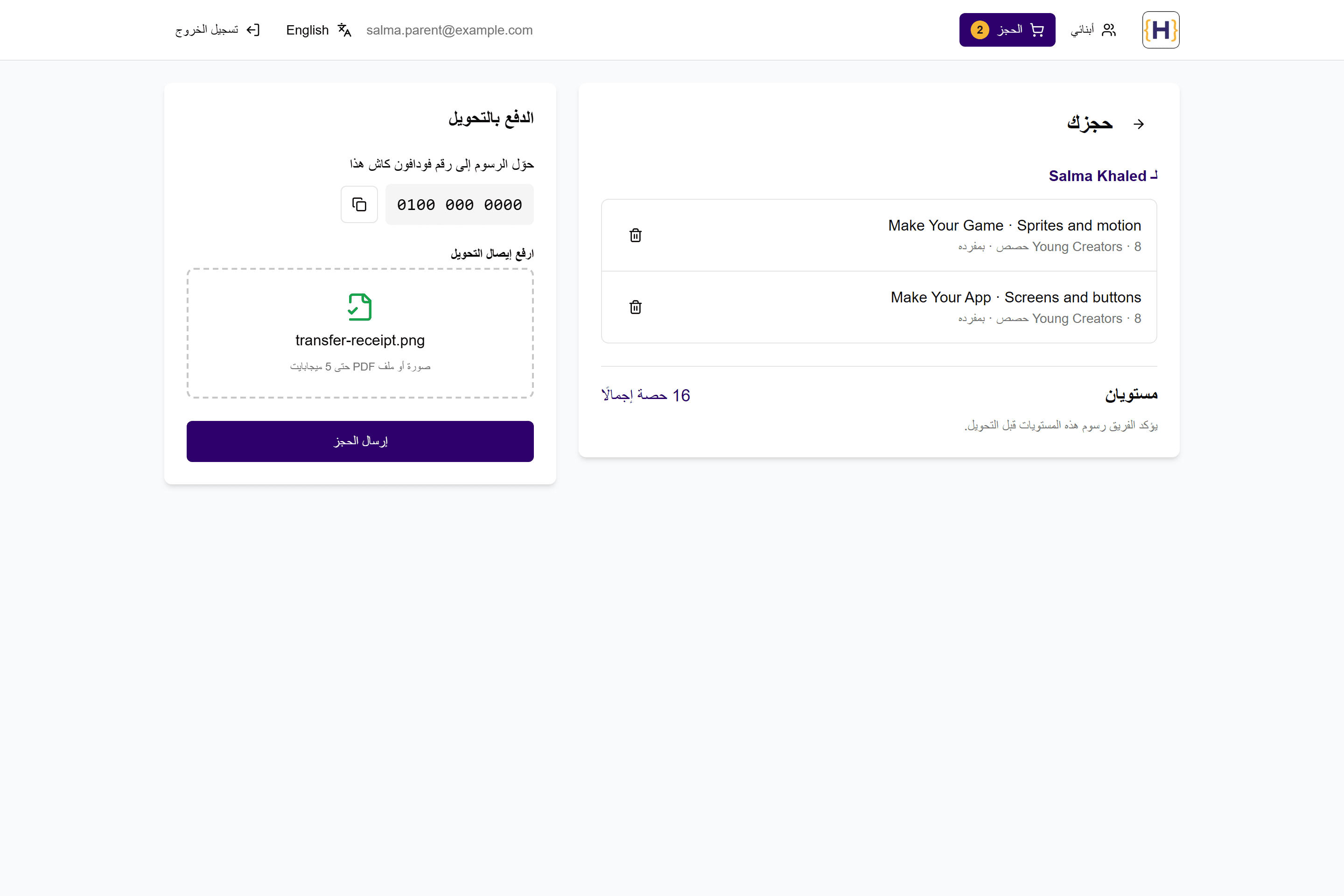
Booking: a parent opens a child's recommended track, adds levels course by course, reviews the booking grouped by child and attaches the transfer receipt.
The instructor's week at a glance
- The overview shows the next session with its round, time and students, this month's sessions and hours taught, and the running rounds, all from the instructor's own sessions.
- A chart of hours taught per month, round progress, the coming week and the past sessions that still need attendance or feedback, each one click from the session.
Rounds, sessions and attendance
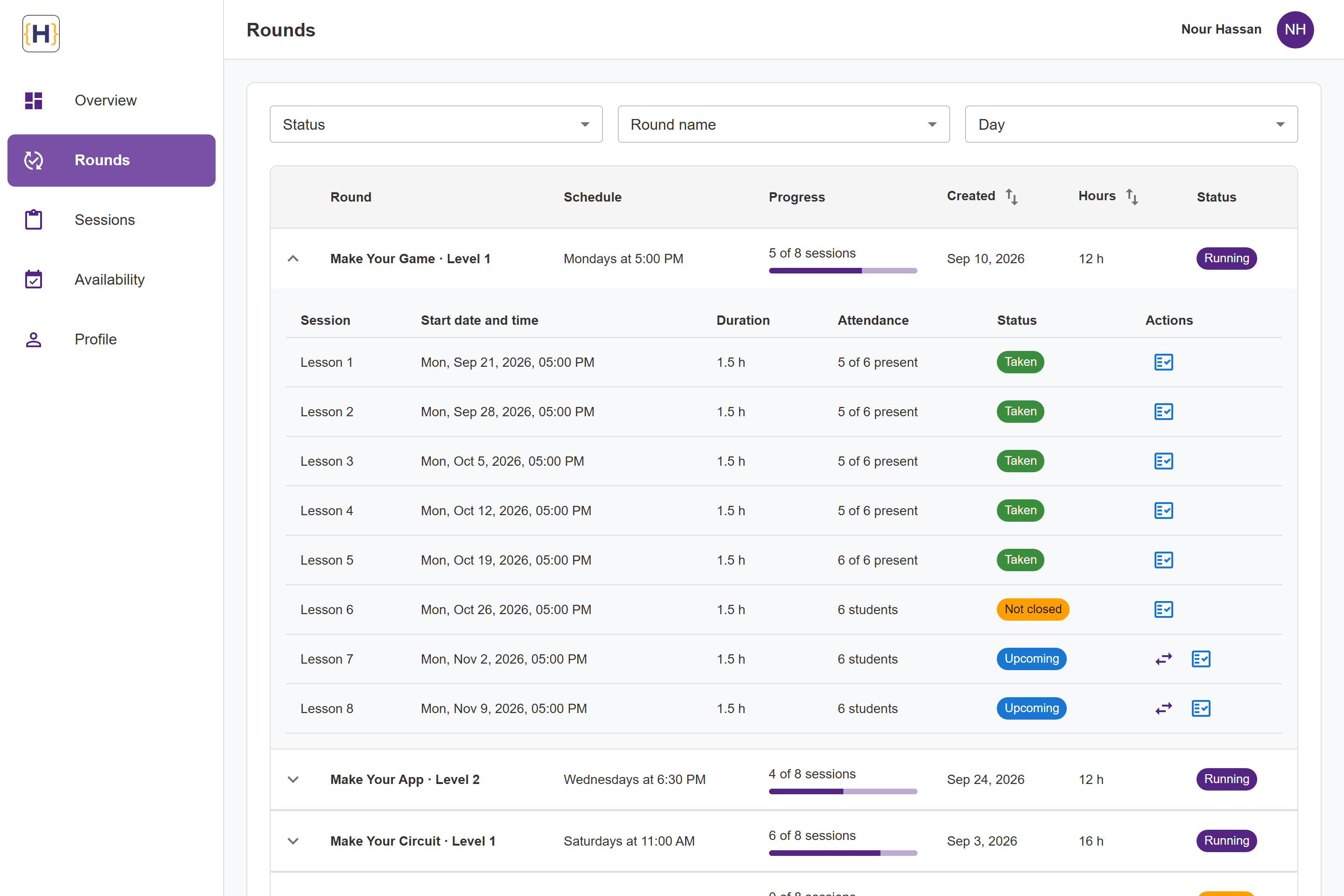
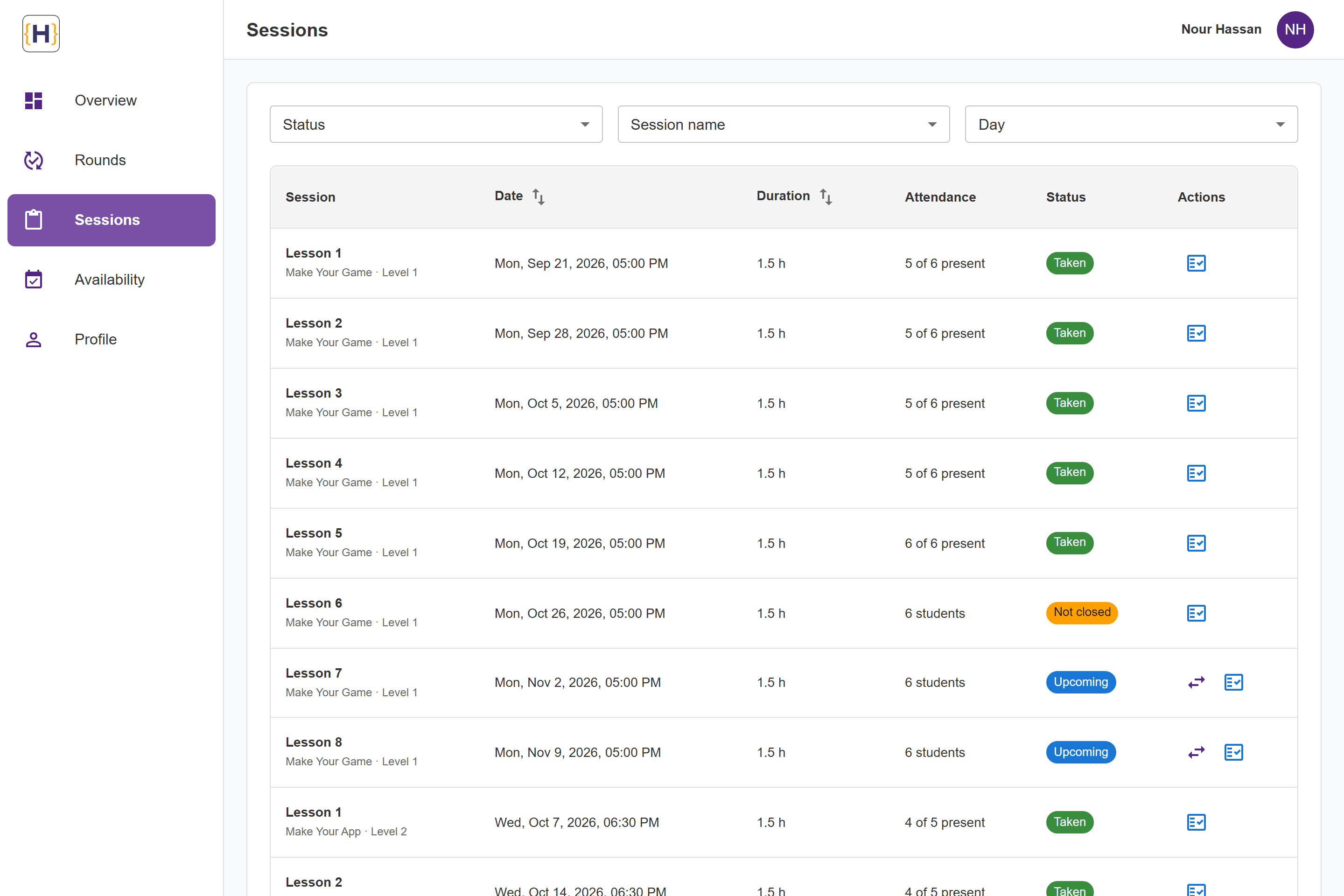
- Rounds open into their own sessions with schedule and progress; sessions filter by status, name and day, sort by date or duration, and page through the API.
- The attendance sheet marks students present or absent and homework done, one by one or for every selected student in one request, with feedback for each student.
- Duration, expenses and highlights of a session are saved and the session is closed as taken; an upcoming session can be handed back with a replacement request.
Availability and profile
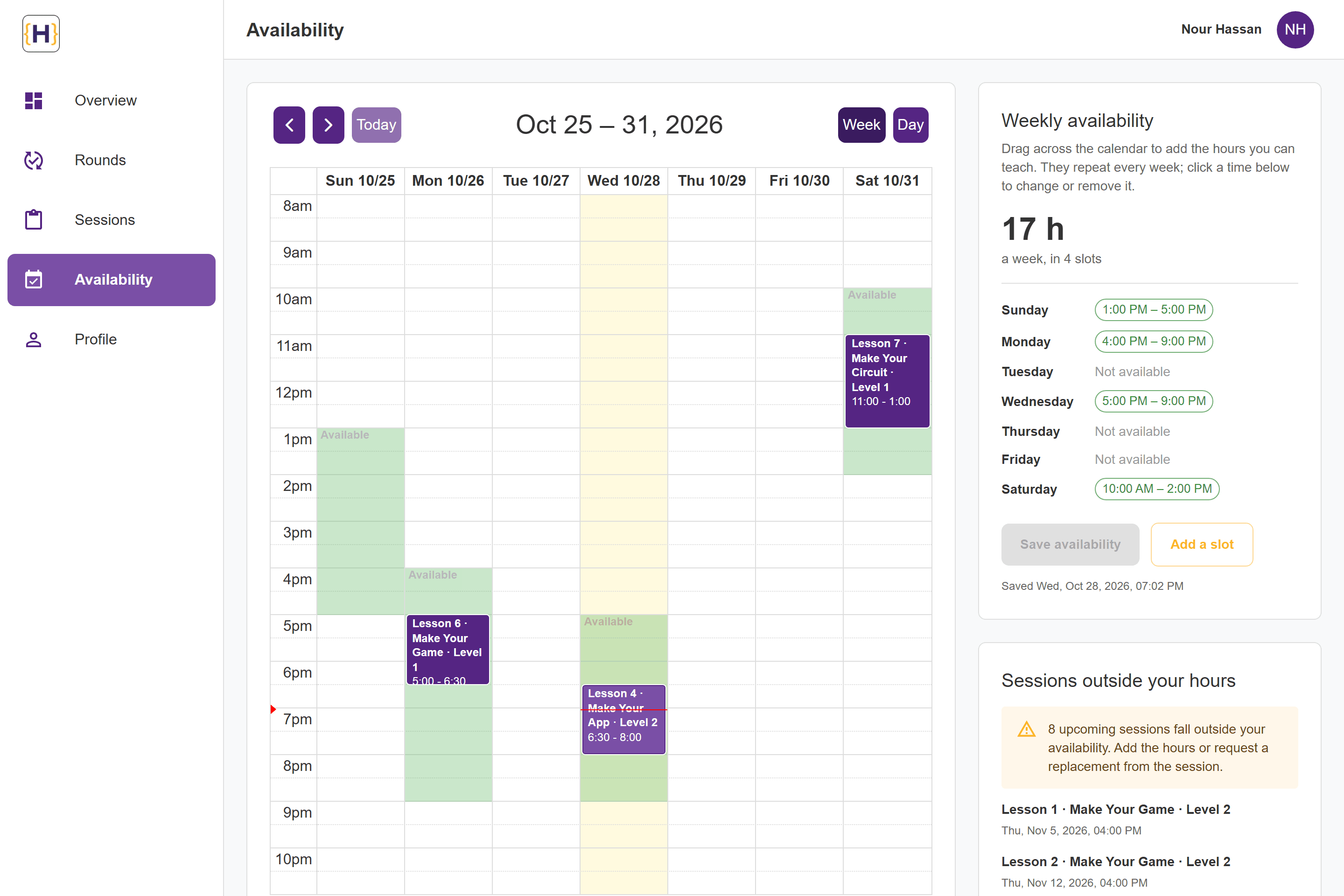
- Weekly availability is drawn on a week calendar next to the instructor's sessions, with the hours per week and the upcoming sessions that fall outside it.
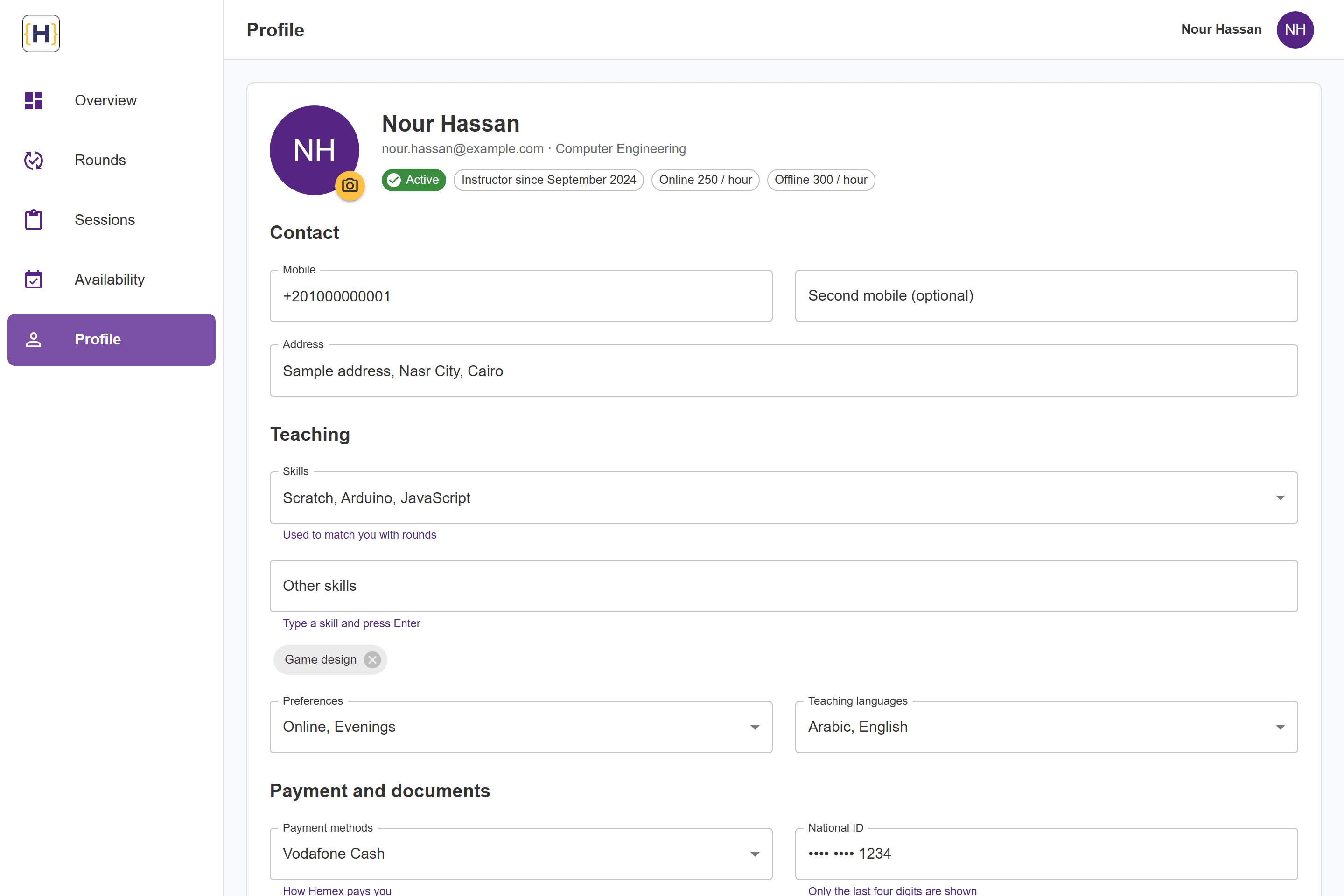
- The profile edits contact details, skills, languages, preferences and payment methods, with photo, CV and ID uploads; the national ID shows only its last four digits.
Parent portal
- Parents see each child with the track recommended for them, add a child in a short form, and book levels course by course, studying alone or in a group.
- One booking follows the parent from the levels to the checkout, grouped by child, and ends with the transfer receipt; every page works in English and in Arabic, right to left.
Engineering / decisions
Architecture and decisions
Status reads the same everywhere: Taken in green, Not closed in amber for a past session without attendance, Upcoming in blue, and the round status in the brand purple.
The attendance sheet puts bulk actions above the students and saves each change as it is made, so a group of eight is marked in a few clicks and nothing is lost if the dialog closes.
The parent portal uses logical spacing (start and end instead of left and right), so the same components lay out correctly in Arabic, right to left.
Built on the existing endpoints
The overview, round progress, the needs-your-input list and the availability check are computed from the sessions and rounds the API already returned to the instructor, so none of them needed a backend change.
One set of session rules
One module maps the API's statuses (Pending, Running, Complete, Canceled for rounds; taken, not taken for sessions) to labels and colours and decides what still needs input, so the overview, the tables and the session dialog always agree.
Filters and paging in the address
Filters, sort and page live in the URL and server components send them to the API, so a filtered list survives a reload or a shared link and the counter counts the rows the API reports.
One booking for the whole portal
The parent's booking is one React context kept in session storage, so it survives moving between pages and a reload, and the header badge, the student cards, the level cards and the checkout all read the same list.
Limits / notes
Known limitations
- The API has no availability endpoint yet, so weekly availability is kept in the browser behind two functions meant to be swapped for API calls.
- The parent portal's booking is not sent anywhere yet: the API has no booking or payment endpoint and levels carry no price, so the checkout shows sessions, not fees.
- The sales and finance consoles were front-end prototypes with sample data written into the code, so they are not shown. The captures run the real production builds against a local stand-in for the API with sample data.
Stack / tools
Technologies
- Next.js
- React
- TypeScript
- MUI
- Tailwind CSS
- NextAuth
- React Hook Form
- Zod
- next-intl
- Radix UI
- Recharts
- FullCalendar
Part of Hemex
Hemex is a coding academy for children with a separate app for each role. The instructor dashboard covers sessions, attendance, availability and profiles; the parent portal covers students and level booking, in English and Arabic.
The public site has a home page and a four-step registration for parents (email or mobile, a verification code, contact preferences and locations) in English and Arabic, ending with a summary and a link to the parent portal.